

Table of Contents
Magento is one of the most popular platforms for building online stores. But is your Magento store accessible to everyone? Accessibility compliance means making sure your website can be used by people with disabilities, such as those with vision, hearing, motor, or cognitive challenges.
Two key standards help guide accessibility compliance:
- WCAG (Web Content Accessibility Guidelines): A set of global rules for making websites user-friendly for everyone.
- ADA (Americans with Disabilities Act): A U.S. law requiring businesses, including online stores, to be accessible to people with disabilities.
Following these standards is important. It isn’t just the right thing to do, but also a smart business decision.
Why Accessibility Matters
1. Legal Compliance
Accessibility isn’t optional. Non-compliant websites can face lawsuits and hefty fines. Following WCAG and ADA rules helps protect your business.
2. Better User Experience
Accessibility makes your store easier to use for everyone, including customers with disabilities. For example, adding captions to videos not only helps hearing-impaired users but also benefits customers watching videos in a noisy environment.
3. Business Benefits
Accessible websites rank better on search engines like Google, helping you attract more visitors. They also appeal to a larger audience, which can lead to higher sales and conversions.
Common Magento Store Accessibility Issues
Many Magento stores face similar challenges when it comes to accessibility. Here are a few common ones:
- Keyboard navigation problems: Some users rely on keyboards instead of a mouse, and your store must work smoothly with just a keyboard.
- Missing alt text for images: Alt text helps visually impaired users understand images through screen readers.
- Poor contrast or illegible fonts: Text should be easy to read, even for users with vision impairments.
- Inaccessible forms and buttons: Forms and buttons should have clear labels and be easy to navigate.
Steps to Improve Accessibility and Make Your Magento Store Compliant:
1. Audit Your Store
Start by evaluating your website for accessibility issues, which involves two main methods:
Automated Testing
Ensuring your Magento store is accessible starts with proper testing. A range of tools is available to help identify and address accessibility issues. The following Accessibility Testing Tools for Magento stores are the most popular:
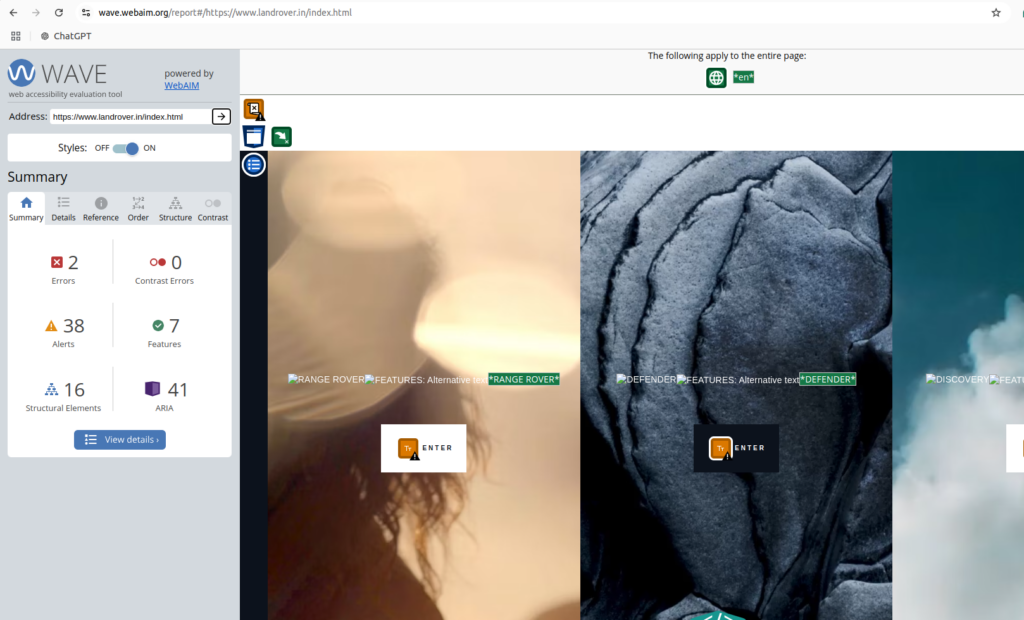
1). WAVE (Web Accessibility Evaluation Tool)
WAVE is a free tool designed to help web developers and store owners check for accessibility issues and come up with the best accessibility practices.
Features:
- Highlights accessibility problems directly on your website’s pages.
- Detects issues like missing alt text, low contrast, or improper form labels.
- Provides suggestions for improvement.
How to Use:
- Visit wave.webaim.org and enter your Magento store URL.
- Use the browser extensions for Chrome or Firefox to test pages directly
2). Lighthouse
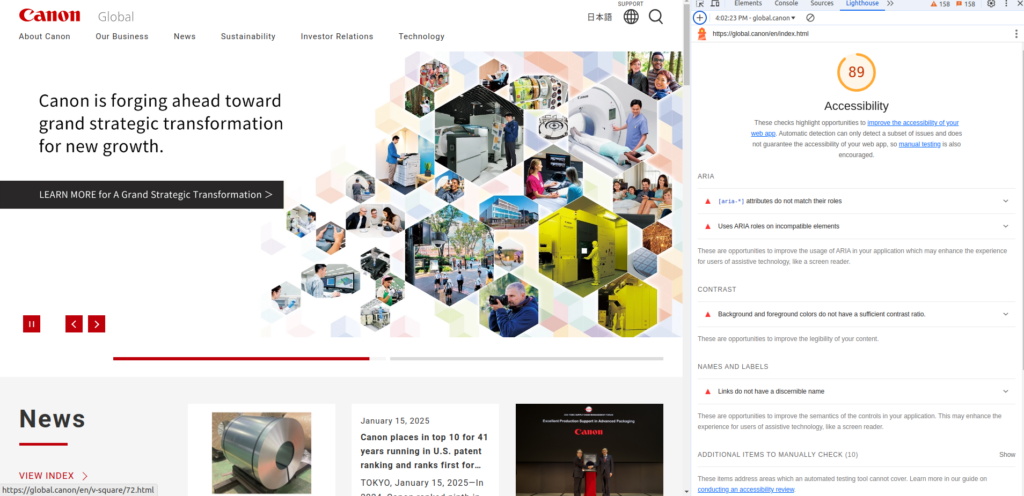
Lighthouse is a free, open-source tool built into Google Chrome for auditing websites.
Features:
- Checks for accessibility, performance, SEO, and more.
- Offers detailed reports with actionable recommendations.
- Includes scoring to help prioritize fixes.
How to Use:
- Open your Magento store in Chrome.
- Right-click on the page, select “Inspect,” and navigate to the “Lighthouse” tab.
- Run an audit to receive a comprehensive accessibility report.
3). Axe Accessibility Tool
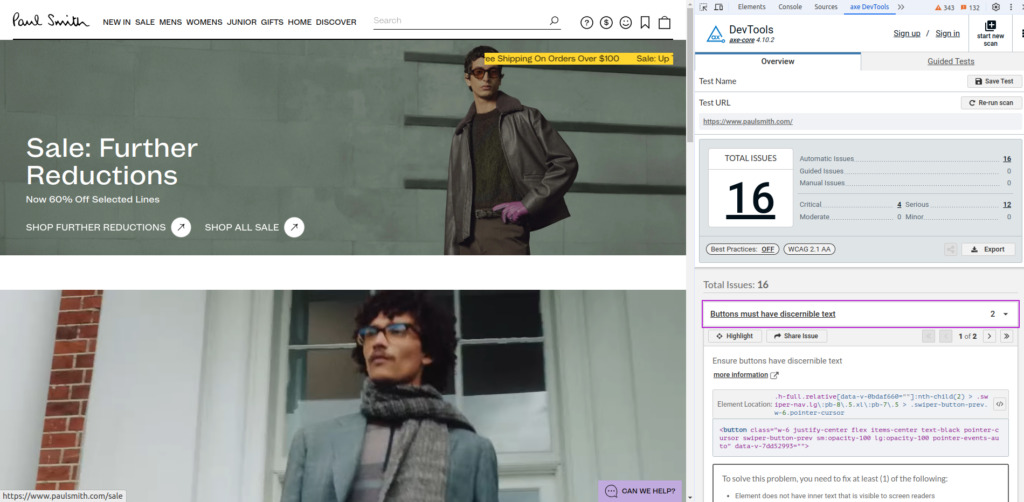
Axe is a powerful accessibility testing tool used by developers and accessibility experts.
Features:
- Identifies WCAG and ADA compliance issues.
- Integrates with popular development tools and browsers.
- Free browser extensions are available for quick checks.
How to Use:
- Install the Axe browser extension for Chrome or Firefox.
- Run the tool while browsing your Magento store to identify problems and fixes.
Manual Testing
The above tools are great for quickly identifying obvious issues across many pages, such as missing alt text or poor contrast. However, they can’t catch everything – some issues require a human touch to evaluate. Thus, manual testing by a person (ideally someone with accessibility expertise or a disability) is recommended as well. Although this process takes more time, it’s essential for finding issues that automated tools miss, like checking if error messages are clear or if interactive elements are intuitive.
Here are some simple manual tests you can try yourself to uncover potential issues and understand your users’ experience:
- Navigate with a keyboard only:
- Use the Tab key to move through your website from top to bottom. Each interactive element (links, buttons, forms) should be highlighted in a logical order.
- Test the following:
- Press Enter to activate links and buttons.
- Use the space bar to check or uncheck boxes.
- Use the arrow keys to move through dropdowns and radio buttons.
- Zoom your browser to 200%:
- Enlarge the page and check if all content remains readable and properly aligned.
- Resize the browser window to different widths to ensure content doesn’t overlap or break.
- Check browser tabs:
- Hover over each browser tab when a page is loaded. Every tab should have a unique and descriptive title that explains the page’s purpose.
- Test form error messages:
- Enter incorrect data in your forms to see if error messages are clear and easy to understand.
- Ensure errors are highlighted with more than just color (e.g., an icon or descriptive text) to assist color-blind users.
Regularly auditing your website using these methods can help you identify barriers and improve usability for everyone. Combining automated and manual testing ensures a more thorough review and helps make your store truly accessible.
2. Apply Best Accessibility Practices to your Magento store
- Add Alt Text: Ensure every image has descriptive alt text so that screen readers can convey the information to visually impaired users.
- Accessible Themes: Use Magento themes that are built with accessibility in mind. These often follow WCAG guidelines and offer better usability.
- Improve Contrast: Ensure text is readable by maintaining proper color contrast ratios (WCAG recommends a contrast ratio of at least 4.5:1 for normal text).
- Keyboard Navigation: Test your website to ensure all interactive elements (links, buttons, forms) are accessible via the Tab and Enter keys.
- ARIA Roles: Use ARIA (Accessible Rich Internet Applications) roles and attributes to help assistive technologies interpret complex UI elements.
- Accessible Forms:
- Use clear labels and instructions for form fields.
- Add focus states to highlight fields as users navigate.
- Provide error messages with suggestions to correct mistakes.
- Scalable Fonts and Flexible Layouts: Ensure text can be resized without breaking the layout or usability of your website.
3. Enhance Multimedia Accessibility
- Add captions and transcripts for videos to assist users with hearing impairments.
- Use descriptive audio for videos when important information is conveyed visually.
4. Test with Assistive Technology
- Test your store using screen readers
- Ensure that the website is fully operable with keyboard navigation alone.
- Simulate various user scenarios (e.g., users with motor impairments, color blindness, or low vision).
5. Leverage Extensions and Tools
Magento has several accessibility-focused extensions that can simplify compliance:
- Extensions that enhance navigation, such as keyboard accessibility tools.
- Plugins for automated image alt text generation.
- Modules to improve form usability and error handling.
6. Train Your Team
- Educate your developers and designers on the importance of accessibility.
- Provide resources on WCAG and accessibility best practices to ensure compliance during website updates.
7. Plan for Continuous Maintenance
- Regularly audit your website as new products or features are added.
- Stay updated on changes to WCAG standards or accessibility laws.
Conclusion
Magento store accessibility isn’t just about compliance – it’s about creating a better experience for all your customers. By addressing common issues and following best accessibility practices, you can make your Magento store inclusive, legally compliant, and more appealing to a broader audience.
Take the first step today by auditing your store and consulting experts if needed. Accessibility is good for your customers and your business






Leave a Reply