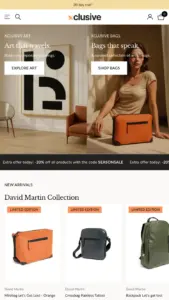
Atelier Shopify theme
Atelier
Free Highly active Poorly rated bags

Atelier Shopify theme

Created by Shopify

Data updated:
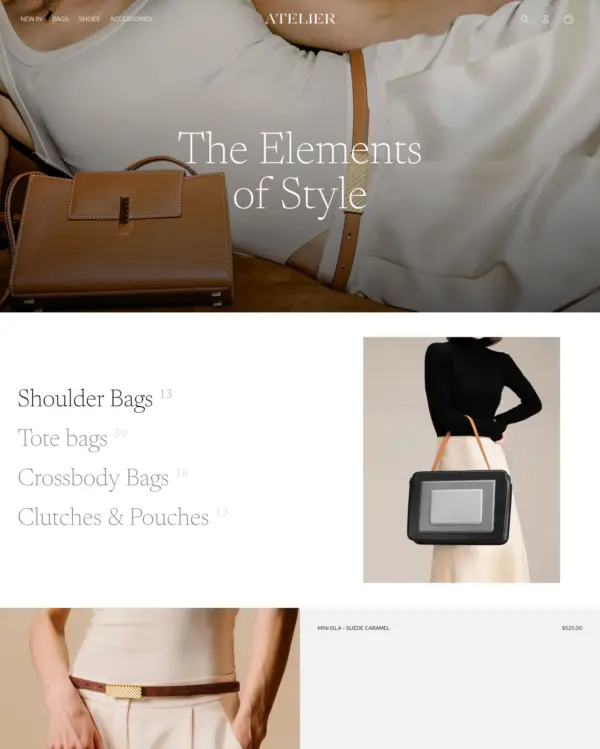
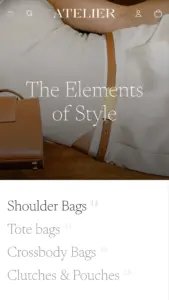
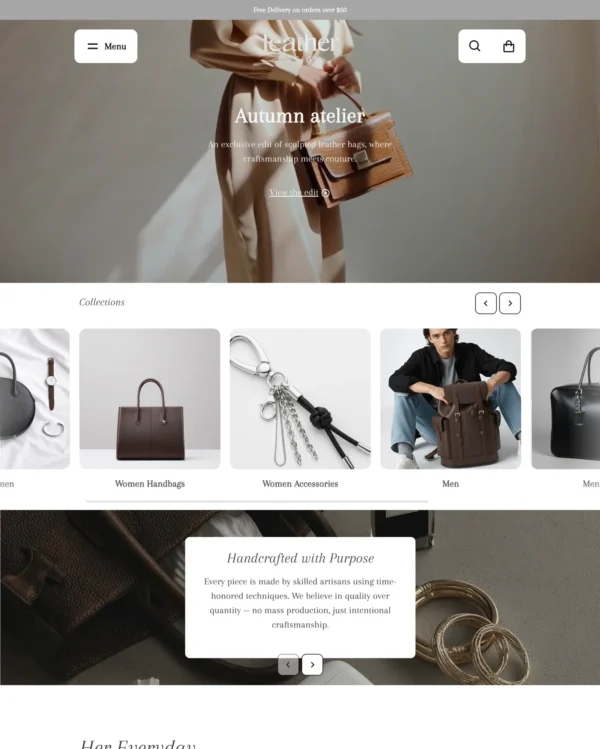
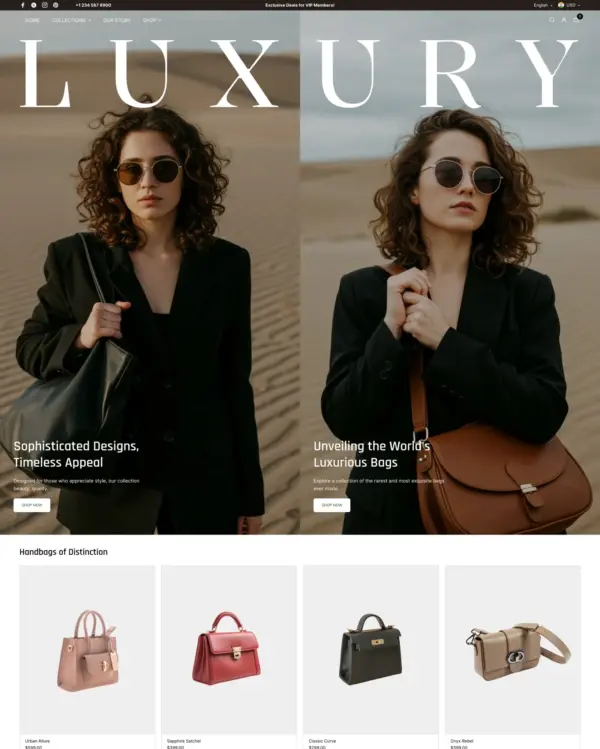
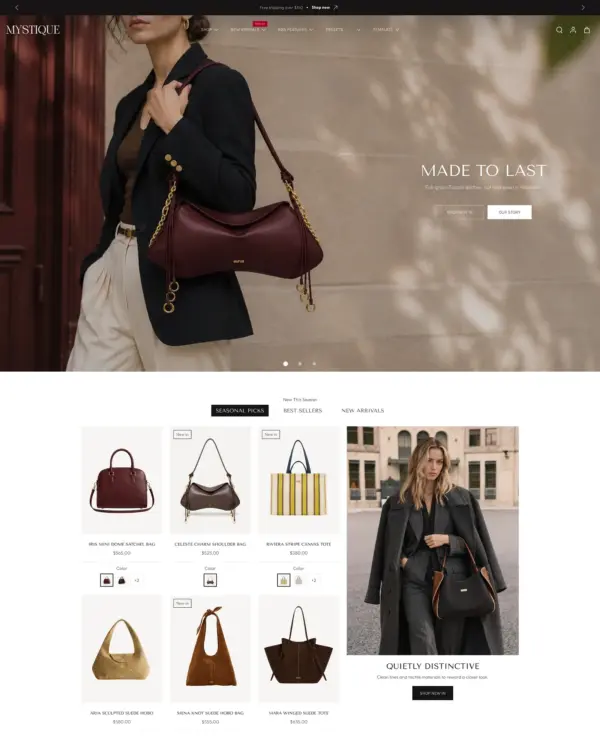
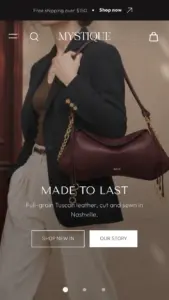
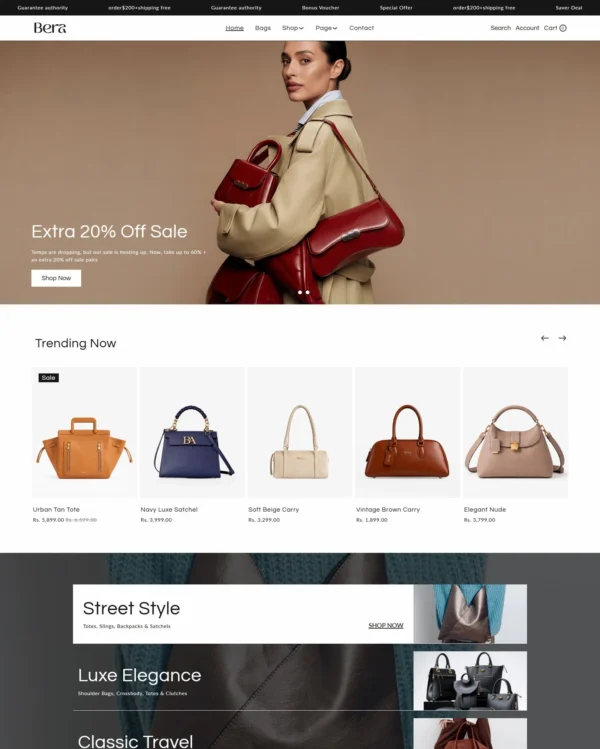
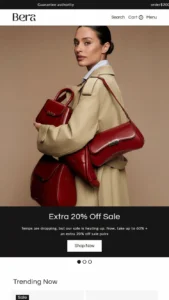
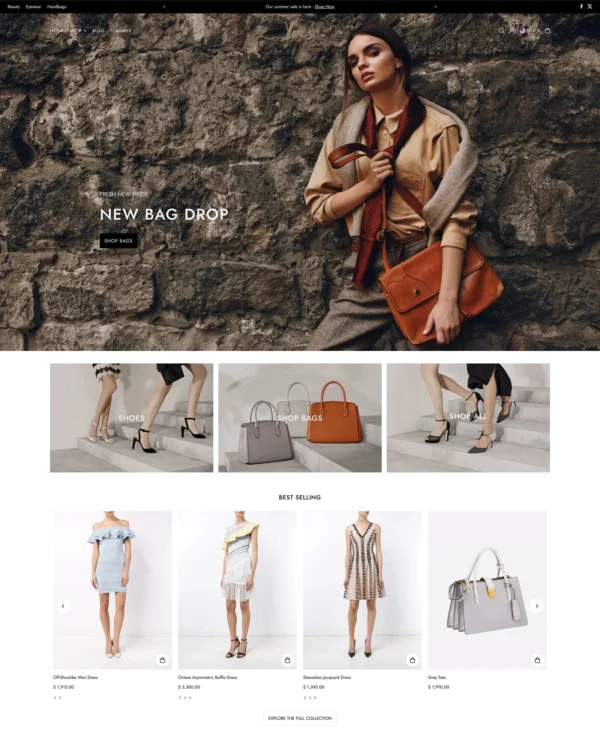
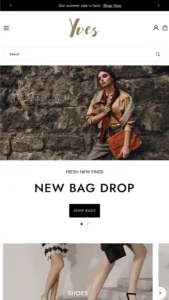
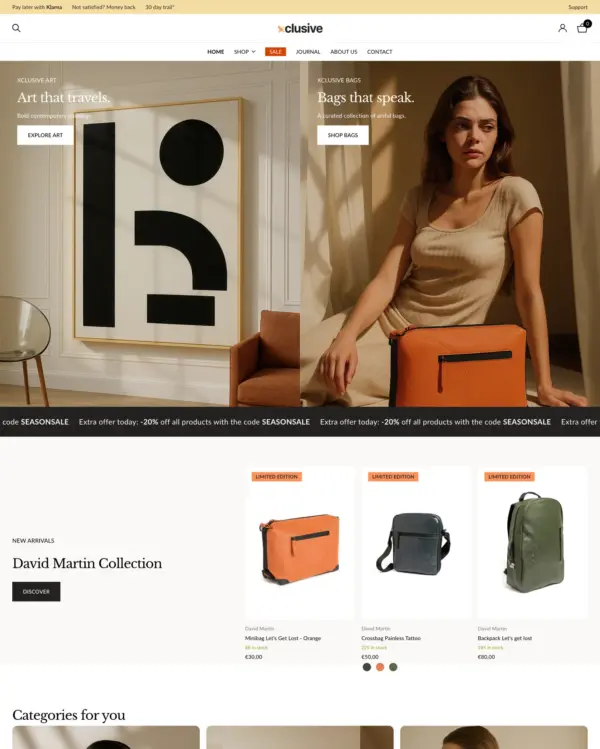
Atelier aims for a handcrafted, elegant feel with airy galleries and large hero imagery for editorial storytelling, suited to bag, jewelry, and food and drink brands. The Shopify theme's tools include nested content blocks, a mega menu, swatch filters, infinite scroll, image zoom, color swatches, and lookbooks.
Source Shopify Theme Store Official
★★★★★
★★★★★
1.5 · 78 reviews · 29% positive
PRICE
Free
PRESETS
1 style

Independently reviewed by the eDIY editorial team

Our verdict on Atelier

Atelier is a welcome free option for a brand selling thoughtfully made bags, accessories or handmade goods. Its spacious galleries and editorial photography can make craftsmanship part of the shopping story, without the upfront cost of a paid theme. But it also highlights the risks of Shopify’s newer free designs: merchant satisfaction is weak, with a 1.5 rating across 78 reviews. The official demo reached 70 mobile and 98 desktop, yet eight live stores averaged 53 and 72. We'd explore Atelier as a design prototype, but test editing workflows and real product pages carefully before rebuilding an established business around it.

Reviewed by
Olga Diejewa · Ecommerce Theme Expert

What we liked

  • Spacious product photography and editorial storytelling are a natural match for makers who need to explain materials and craftsmanship.
  • As a free Shopify theme, Atelier lets a small handmade brand experiment without buying a premium theme license.
  • The official desktop demo scored 98, showing the minimal layout can look polished without an inherently heavy demonstration.

Worth knowing

  • The 1.5 merchant rating across 78 reviews is a serious reason to investigate complaints and editing limitations.
  • Eight live stores averaged 53 mobile versus 70 for the demo, so production speed is far from guaranteed.

How fast is Atelier?

Google PageSpeed Insights scores out of 100. Demo results average the home, collection, and product pages.

The official Atelier demo scored 74/100 on mobile and 99/100 on desktop in our November 2026 test. On mobile, LCP was 5.6s, CLS 0.00 and Total Blocking Time 5ms.

Theme demo store

Official Atelier demo, average of 3 pages
75 /100
Mobile
Needs improvement
99 /100
Desktop
Good
By pageMobileDesktop
Home page 73 99
Collection page 81 99
Product page 70 99
MetricMobileDesktop
Largest Contentful Paint 5.6s 981ms
Cumulative Layout Shift 0.00 0.00
Total Blocking Time 0ms 5ms
Speed Index 5.3s 832ms
MetricMobileDesktop
Largest Contentful Paint 5.0s 807ms
Cumulative Layout Shift 0.00 0.00
Total Blocking Time 7ms 23ms
Speed Index 2.8s 1.1s
MetricMobileDesktop
Largest Contentful Paint 6.1s 961ms
Cumulative Layout Shift 0.00 0.01
Total Blocking Time 7ms 18ms
Speed Index 5.8s 833ms

Lab data from PageSpeed Insights, Nov 2026

The 8 live stores we tested averaged 59/100 on mobile and 68/100 on desktop. Average mobile LCP was 9.2s and CLS was 0.02. These are complete production stores, so the numbers cover more than the theme itself.

Live stores average

Mean across 8 stores running Atelier
59 /100
Mobile
Needs improvement
68 /100
Desktop
Needs improvement
MetricMobileDesktop
Largest Contentful Paint 9.2s 2.6s
Cumulative Layout Shift 0.02 0.02
Total Blocking Time 700ms 460ms
Speed Index 10.2s 3.5s

Real stores carry their own apps, images and traffic

Per-store results

8 live stores · tested Nov 2026
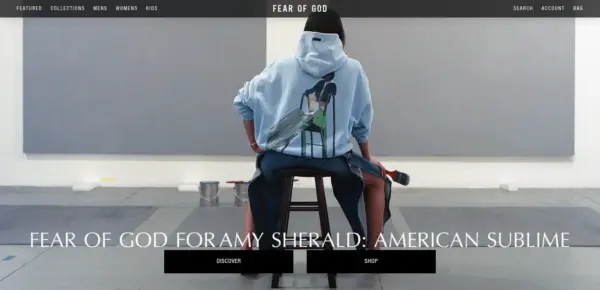
Fear of God
fearofgod.com
Mobile 38
Desktop 52
Marleylilly
marleylilly.com
Mobile 66
Desktop 57
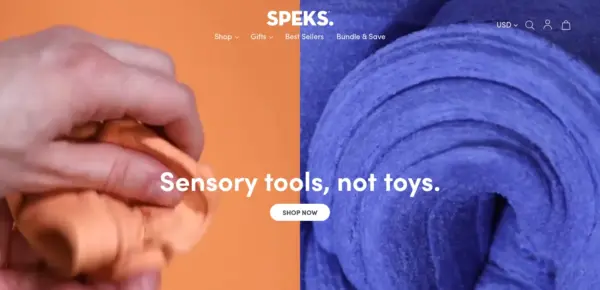
Speks
getspeks.com
Mobile 74
Desktop 63
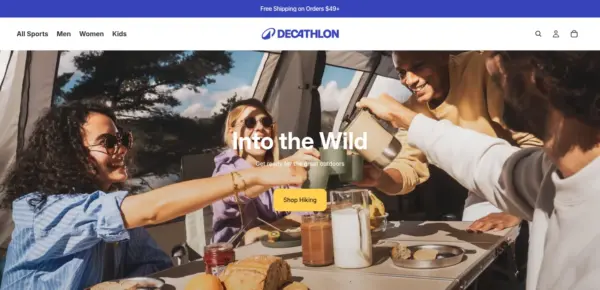
Decathlon
decathlon.com
Mobile 70
Desktop 92
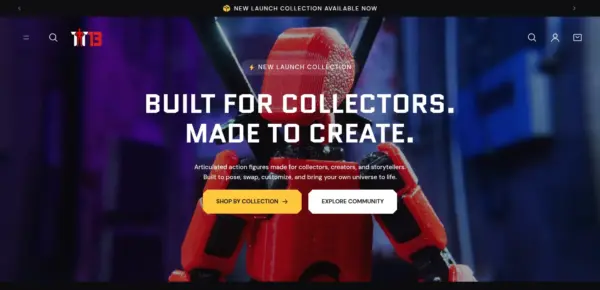
Titan13Toy
titan13toy.com
Mobile 89
Desktop 93
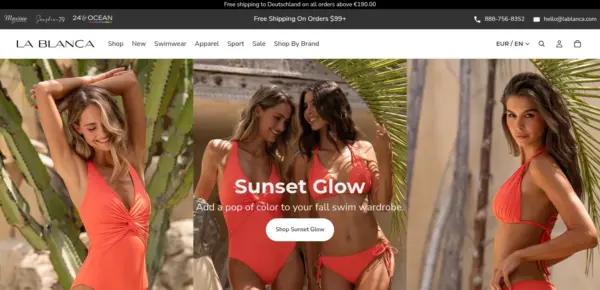
LA BLANCA
lablanca.com
Mobile 43
Desktop 80
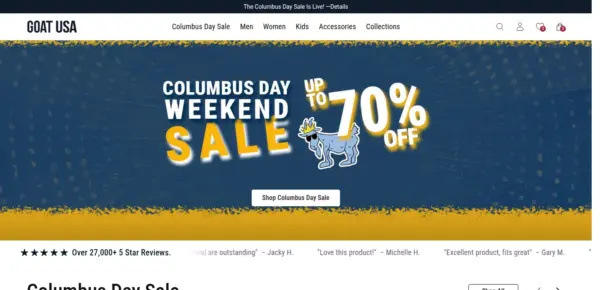
GOAT USA
goatusa.com
Mobile 51
Desktop 68
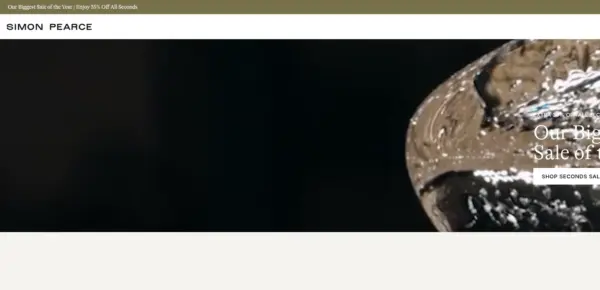
Simon Pearce
simonpearce.com
Mobile 37
Desktop 37

Features

Built-in features listed on the Theme Store.

Cart and checkout

  • Cart notes
  • Gift wrapping
  • In-store pickups
  • Pre-order
  • Quick buy
  • Sign in with Shop
  • Slide-out cart

Customer accounts and sign-in

  • Account menu

Marketing and conversion

  • Blogs
  • Cross-selling
  • Customizable contact form
  • EU translations (EN, FR, IT, DE, ES)
  • FAQ page
  • In-menu promos
  • Press coverage
  • Product badges
  • Promo banners
  • Quick view
  • Recently viewed
  • Recommended products
  • Stock counter

Merchandising

  • Animation
  • Color swatches
  • High-resolution images
  • Image galleries
  • Image rollover
  • Image zoom
  • Ingredients or nutritional information
  • Lookbooks
  • Product options
  • Product videos
  • Shipping/delivery information
  • Size chart
  • Slideshow
  • Usage information
  • Combined listing (Shopify Plus)

Product discovery

  • Enhanced search
  • Infinite scroll
  • Mega menu
  • Product filtering and sorting
  • Recommended products
  • Sticky header
  • Swatch filters
42 features

Atelier ranking and satisfaction

Position among all Shopify themes
#1132 of 1375
Position among Shopify themes for "bags"
#53 of 58
Overall satisfaction based on all reviews
29% positive

Release history

LATEST VERSION
v4.5.0
Released November 10, 2026
Highly active

Atelier is actively maintained, with 17 releases in the last 12 months.

Releases in 12 mo 17
Total releases 36
First release May 21, 2025
v4.5.0 FEATURE
Release Notes - Version 4.5.0

Product pages can now list physical stores that have a product in stock, even when they don't offer pickup. This is on by default and can be turned off in the Buy buttons block. This update also includes screen reader accessibility improvements, page speed improvements, and fixes for product layouts and quick add.

What's Changed

Added

  • Added the option to show physical stores that have a product in stock in the product page pickup availability, including stores that don't offer pickup. The option is on by default, so after updating, product pages can list these stores without any setting changes.

Fixes and improvements

  • Gave the Hero section link an accessible name for screen readers when it links to a product, collection, page, blog, article, policy, the home page, all products, or all collections.
  • Fixed product recommendations showing one product per row when the block's width falls between two layout breakpoints, such as 449.5px.
  • Fixed product details with a fit-content width and long unbroken text overflowing their column on tablet and desktop screens.
  • Linked Image blocks now tell screen readers where the link goes, such as "Collection: Spring", instead of relying on the image's alt text.
  • Improved page speed: Blog posts and Collection list card images after the third section of a page now load lazily, and mobile cards request images closer to their size.
  • Fixed quick add and mobile product hotspots opening an empty or incomplete modal when the product template hides the product information section or its price, variant picker, or buy buttons.
v4.4.0 FEATURE
Release Notes - Version 4.4.0

This update improves cart messaging by adding support for fees in tax and shipping information and ensures quantity changes show error messages instead of failing silently. It also fixes the announcement bar text clipping and resolves issues with product images in blog posts stretching incorrectly.

What's Changed

Added

  • Added support for mentioning fees in the cart's taxes and shipping message. Fees are currently in early access. Learn more & request access.
  • Added a mobile menu drawer divider color setting.

Fixes and improvements

  • Fixed the page not scrolling after the Android Back button closes a drawer or pop-up.
  • Fixed the descenders on text in the announcement bar from being visibly clipped.
  • Fixed images in blog posts stretching to the full content width instead of keeping their set or original size.
  • Check out now waits for a pending quantity save, so a rejected quantity shows its message in place of a silent failure.
  • Improved collection menu rendering by using each collection's image or its first product's image without searching later products.
  • Fixed header menu items sitting higher than the header icons in the sticky header when the logo is hidden on the home page.
  • Fixed submenu columns and featured product and collection cards in the header's More menu becoming too narrow to read when the cart drawer is open.
  • Fixed the mobile navigation bar briefly appearing in the desktop header, and the page content shifting, while a page loads.
  • Fixed long email signup headings overflowing the footer instead of wrapping.
  • Fixed the sticky header covering the top of sticky product media on desktop.
  • Fixed the email signup form going past the edge of a crowded row of blocks at tablet widths, which cut off the sign-up button.
  • Fixed long unbroken text in product details squeezing the product media and making the page scroll sideways on wide screens.
  • Fixed the product recommendations block showing one product per row instead of a multi-column grid on large screens.
  • Fixed inputs in blocks inside a layered slideshow, such as the email sign-up field, not taking focus when clicked.
  • Fixed the price disappearing in the featured product section after switching between variants with and without a compare-at price.
  • Fixed product media carousel arrows not showing when the Icons setting showed Arrows on product templates from earlier theme versions.
  • Fixed buttons not using the Accent font's weight and style when their Font setting is Accent.
  • Fixed large text sometimes overflowing its container when the page's font loaded late.
  • Fixed the search modal going blank while typing on storefronts in languages predictive search doesn't support, such as Arabic and Hebrew. The modal now keeps its default content, and pressing Enter opens the full search results page.
  • Fixed product card images sometimes going blank after selecting color swatches when the product list uses the carousel layout.
  • Fixed the quantity selector stacking above the add to cart button in quick add when the product page sets a custom width on the group that holds the buy buttons.
  • Renamed the "Installments" setting in the price block and cart settings to "Show Shop Pay payment options", and added help text explaining that it displays Shop Pay Installments and HSA/FSA badges.
  • Fixed carousels and other multi-item slideshows on right-to-left storefronts (Arabic, Hebrew) moving by the wrong number of items, skipping items after a swipe, and ignoring quick mouse flicks.
  • Fixed product names touching or being cut off by rounded product card corners in the tiny collection view.
v4.3.0 FEATURE
Release Notes - Version 4.3.0

Product disclosures are now shown only to buyers in the jurisdiction scoped by the disclosure. This update also includes several bug fixes to cart functionality, carousel usability, and information on pickup location availabilities.

What's Changed

Added

  • Filter product disclosures by the buyer's jurisdiction. A disclosure scoped to a country or a country subdivision is now shown only to buyers in that jurisdiction, and is shown whenever the buyer's jurisdiction cannot be determined.

Fixes and improvements

  • Stop rendering product card slideshow arrows on cards that have only one navigable image, where clicking them did nothing.
  • Improved desktop carousel clicks and drag cursor behavior.
  • Fixed product cards and quick add requiring two taps in carousels on iPhone.
  • Improved product disclosure icon sizing and alignment.
  • Fixed the cart drawer overlapping the installments details dialog after cart contents changed.
  • Fixed cart notes not saving after adding the first item to an initially empty cart drawer.
  • Fixed cart quantity buttons becoming enabled at their limits after cart note updates.
  • Renamed the header's customer account menu setting to "Customer account menu" so it is no longer mistaken for the header navigation menu.
  • Fixed header dropdown menus not resizing when images load after the menu opens.
  • Improved how quickly the page responds when opening the mobile menu and the cart drawer.
  • Fixed hidden variant media showing again after selecting an unavailable option combination.
  • Fixed the menu backdrop not dimming the page after scrolling.
  • Fixed product pages showing pickup as not available when the first store listed was out of stock but another store had it in stock.
  • Fixed cart quantity updates from quick order lists when a Buy X Get Y discount apply
  • Fixed the cart count after navigating back to a previous page.
  • Improved first paint time by no longer preloading theme fonts.
  • Fixed the sticky header disappearing on mobile while search, the menu, or the cart is open.
v4.2.0 FEATURE
Release Notes - Version 4.2.0

This update improves support for right-to-left (RTL) languages. The HTML page's base text direction is now set to match the shopper's requested language, correcting text order and alignment. This update also includes various bug fixes, notably the cart drawer and cart page showing stale line items after using the browser Back button.

What's Changed

Added

  • Adds a new Liquid drop and styling to support display of right-to-left languages. All templates now render [dir={{ request.locale.direction }}] to communicate the language's direction to the browser.
  • Alignment and position settings that store left/right values now render as logical CSS (start/end), so they mirror correctly on right-to-left storefronts with no change on left-to-right storefronts.

Fixes and improvements

  • Align the account popover dialog so it opens from the account button instead of the bottom of the header.
  • Fixed the cart drawer and cart page showing stale line items after a browser Back, whether the page comes back from the back/forward cache or is rebuilt from the HTTP cache.
  • Render the Catalog link in menus as text instead of a Liquid error when no product image is available.
  • Fixed the filters drawer leaving empty space beside the "See items" button when no filters were applied.
  • Serve smaller product card images in two-column mobile collection and search grids.
  • Load Quick Add's JavaScript only when Quick Add is enabled.
  • Fixed the header language selector's dropdown arrow keeping the top row text color instead of following the transparent header text color.
  • Fixed price filter values being wiped mid-edit when a shopper moves between the low and high price boxes.
  • Fixed anchor-positioned popovers staying glued to the physical left edge of their trigger in right-to-left locales.
  • Fixed prices, price ranges, unit prices, SKUs, discount codes and gift card codes rendering with their parts in the wrong order inside right-to-left text.
  • Fixed horizontal scroll hint fades and scroll-into-view alignment in right-to-left languages, so the fade appears on the correct edge and tracks the scroll position.
  • Fixed uploaded videos in popup link blocks not playing in Safari. The video now starts when the popup opens and stops when it closes.
  • Fixed swatch rows widening rounded product cards before their layout initializes.
v4.1.5 FIX
Release Notes - Version 4.1.5

This release ships multiple bug fixes and performance improvements.

What's Changed

Fixes and improvements

  • Fixed blocks with rounded corners being forced to equal heights.
  • Fixed the page jumping back to the top after closing the cart drawer on a phone, so shoppers keep their place while browsing.
  • Fixed popular countries being listed twice in the country selector.
  • Fixed desktop header dropdown menus opening blank while the page is still loading.
  • Fixed a thin line of the page background appearing along the bottom edge of the header's top row.
  • Fixed app blocks not responding to clicks on the storefront when placed inside a Hero section.
  • Improved display on iPhone: pages now extend edge-to-edge, removing the white bars beside the notch in landscape, while content and controls stay clear of the notch and home indicator.
  • Fixed group blocks in product cards stacking on mobile when their "Vertical on mobile" setting was turned off.
  • Fixed cart quantity inputs losing what the buyer typed when the cart refreshed mid-edit.
  • Fixed the cart item quantity input shrinking, most visibly in the cart drawer on tablets.
  • Fixed grid layouts, such as the collection list, overflowing the page and overlapping other sections on the storefront.
  • Fixed a horizontal scrollbar flashing on slideshows when moving the pointer between the pagination dots and the slide.
  • Fixed a slide's video thumbnail showing behind the text when a slideshow places content below the media.
  • Multiple improvements for rendering performance.

Full changelog

36 releases
Loading releases…

What merchants say about Atelier Shopify theme

We know about 78 reviews · showing 6

Merchant sentiment summary

AI

23 of 78 reviews are positive, 31 neutral and 24 negative. Merchants praise the theme's clean, attractive design, ease of customisation and feature depth for a free theme. The most common criticism is recurring bugs, especially mobile display, product images, checkout and menus, and several reviewers say updates have caused new problems.

Generated from all 78 Theme Store reviews ·

Positive 23 · 29%
Neutral 31 · 40%
Negative 24 · 31%
Poorly rated

Atelier has received 29 reviews in the last 12 months.

Reviews in 12 mo 29
Total reviews 78
First review

pretty and easy to use, but the navigation menu is glitchy on desktop

M
Mirror Palais
Oct 16, 2026

on pc its good, but mobile... website crashes constantly.. I am receiving this: "a problem repeatedly occured".

T
The Volition Guild
Sep 19, 2026

Good starter theme but I’m experiencing glitches like a black box appearing on a product listing after clicking on mobile or the screen going completely white even though the page has loaded. I’ve updated to the latest version but still having these issues.

S
SAVADÉ
Aug 19, 2026

In Facebook/Instagram Android in-app browser, after navigating between pages, the page becomes completely unresponsive. No loading spinner. The page is already loaded in the background, but the current page remains frozen indefinitely until the Android app is backgrounded and reopened. This does not occur in desktop works fine, even after the update.

F
Fern
Jul 21, 2026

In the newer versions, on the homepage, if we add a carousel, it's showing the 3rd, 4th pictures from the product page which is ruining the look of the carousel on the homepage, it should only show the first image of the product, how do we fix this?

S
Semessta
Jul 13, 2026

I love it, did some extra customisations myself but it's amazing.

O
Ourooh
Jun 27, 2026

Alternatives to Atelier for Bags industry

Someone You Know 5 presets

Turns editorial fashion and jewelry images into shoppable displays, with continuous product browsing.

Bags Jewelry and accessories Shoes Clothing Home
4.9 · 174 reviews $ 150

Fastest
UTD BV 5 presets

Puts fashion photography first, letting customers explore outfits through lookbooks and shoppable images.

Bags Clothing Jewelry and accessories Beauty Home
4.6 · 33 reviews $ 100
scandiweb 5 presets

Puts detailed apparel and accessory photography first, with precise layouts and interactive lookbooks.

Bags Clothing Jewelry and accessories Home
4.9 · 33 reviews $ 100
Crown Studio 4 presets

Creates a luxury-inspired setting for fashion and jewelry, with gift wrapping and preorder options.

Bags Clothing Home Shoes
5.0 · 22 reviews $ 100
BSS Commerce 5 presets

Handles both retail and wholesale beauty orders, including hidden guest prices, quick orders, and RTL layouts.

Bags Beauty Jewelry and accessories Home Wellness
5.0 · 618 reviews $ 350
Free
Shopify

Keeps the focus on bag and accessory photography with clean layouts, image zoom, and product video.

Bags
1.8 · 292 reviews Free
WeDesignTech Private Limited 5 presets

Presents skincare with a softer touch, using ingredient details, comparison images, and gift wrapping.

Bags Beauty Jewelry and accessories Clothing
5.0 · 7 reviews $ 100
We are Underground 5 presets

Presents trend-led fashion through video and lookbooks, with alerts when popular items return to stock.

Bags Clothing Home Art Food and drink
4.7 · 371 reviews $ 200