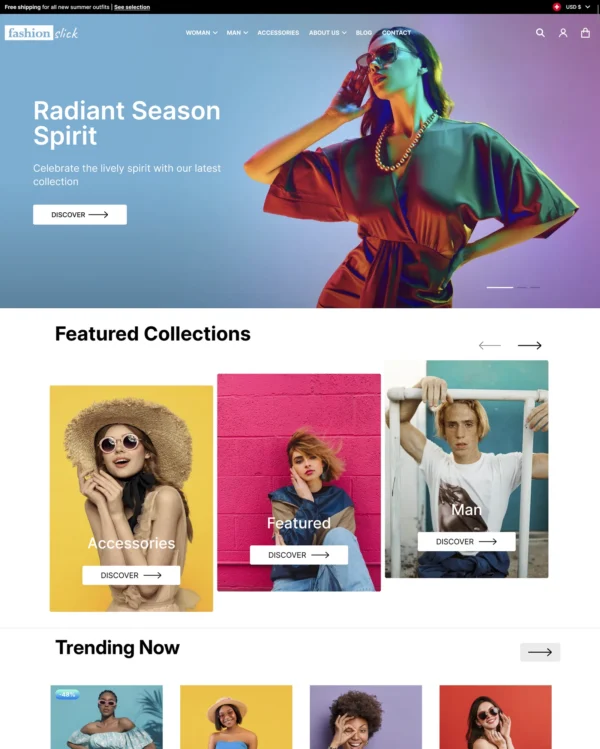

Heritage Shopify theme
Heritage
Free Highly active Poorly rated clothing

Heritage Shopify theme

Created by Shopify

Data updated:
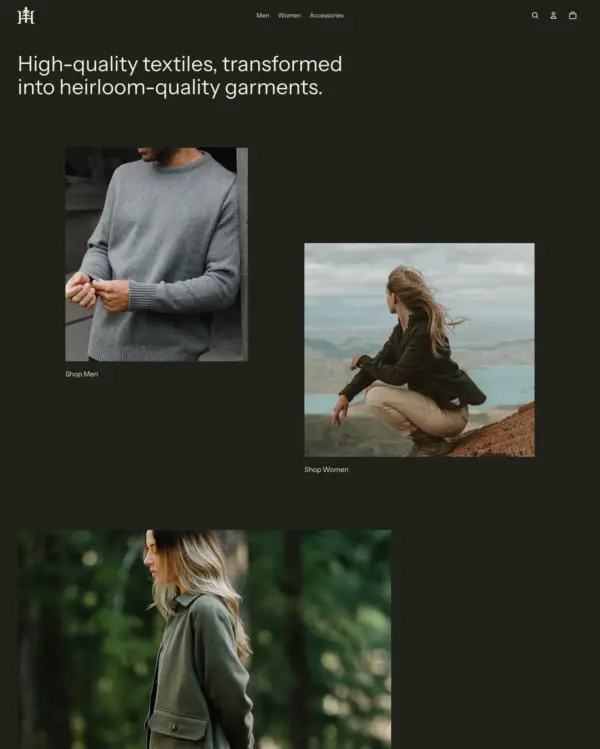
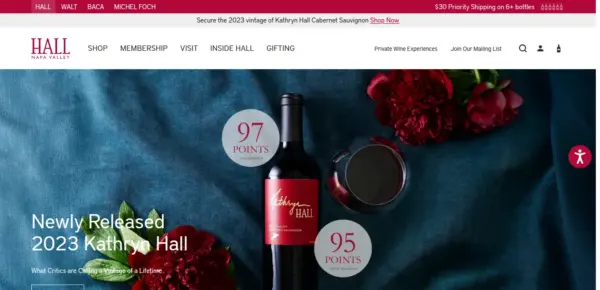
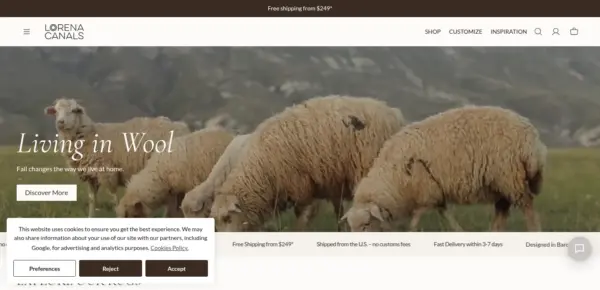
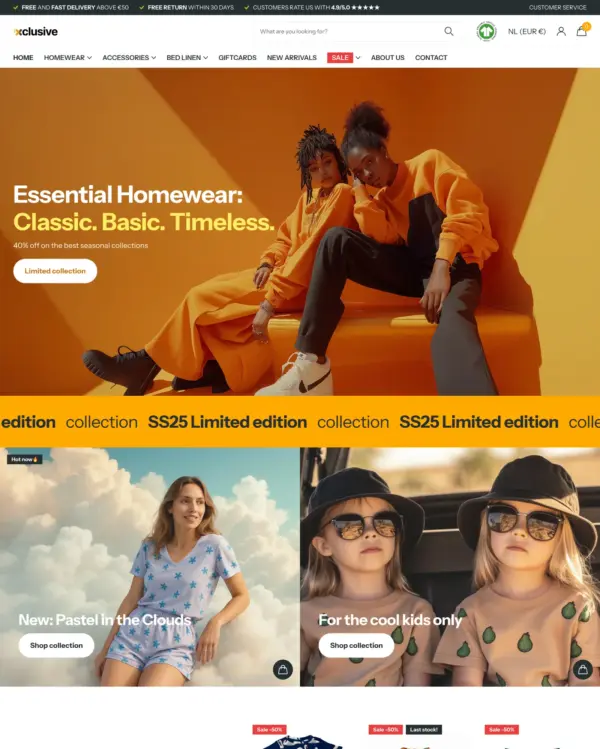
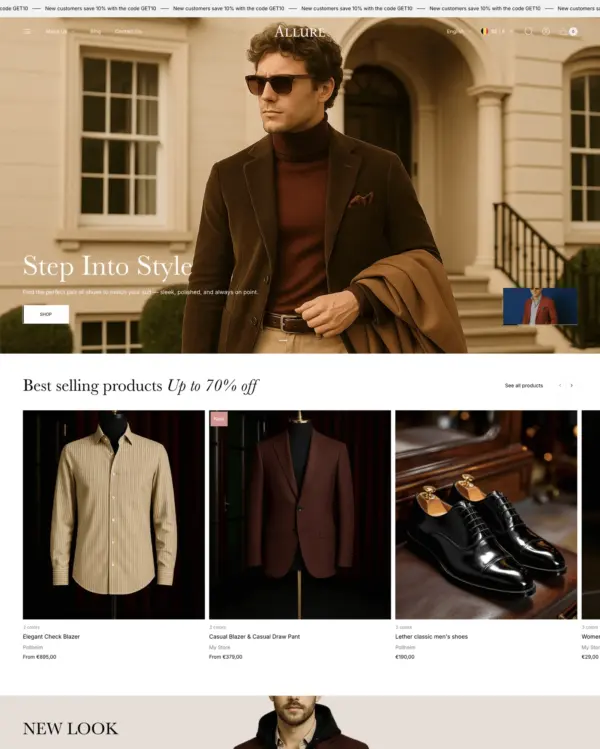
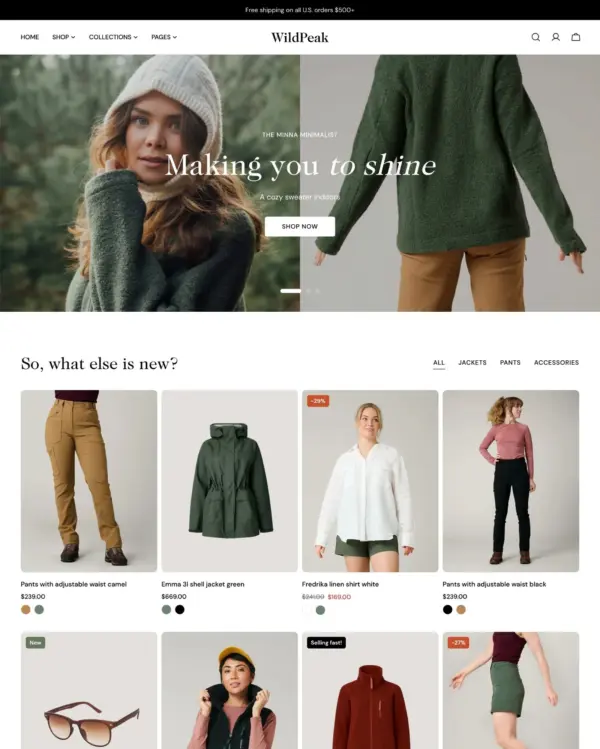
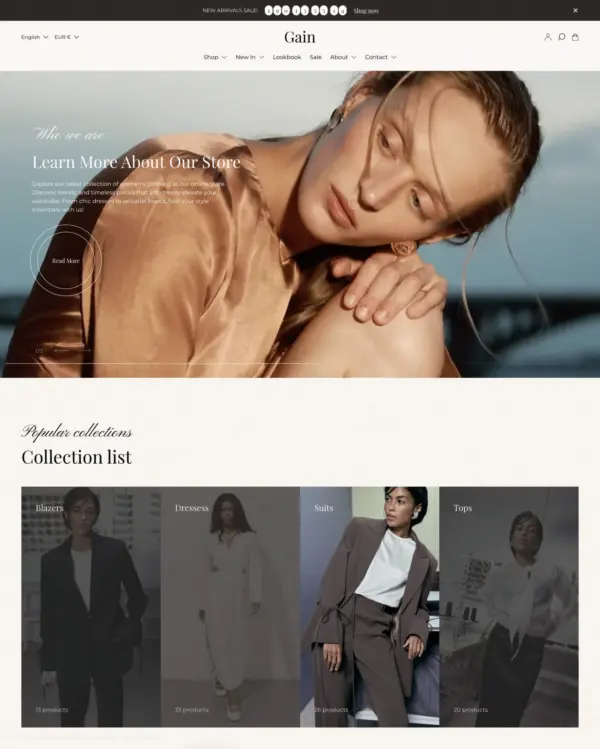
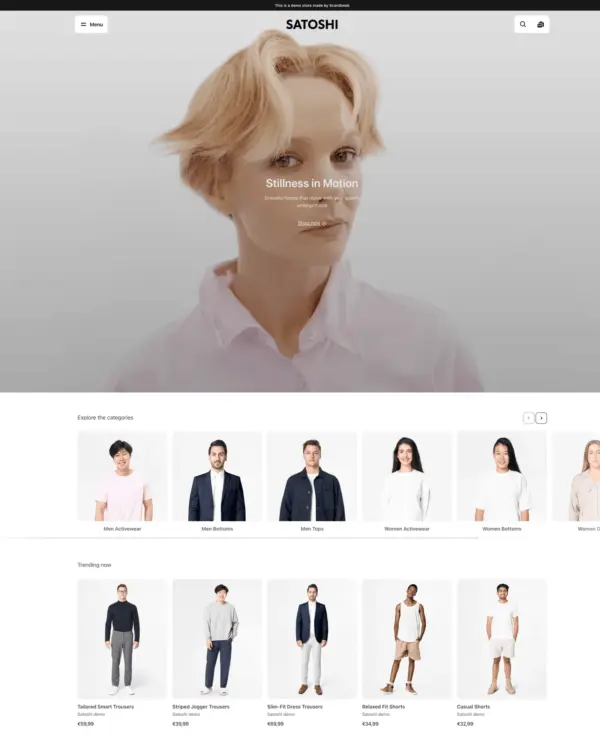
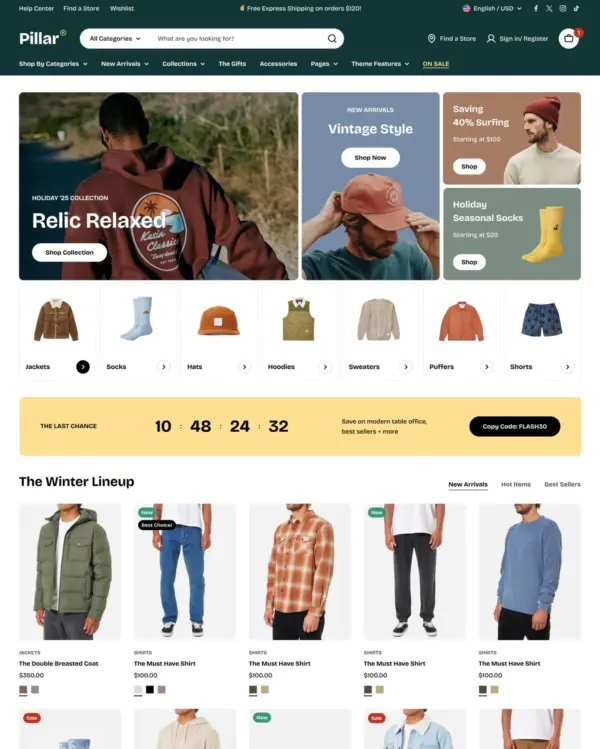
Heritage favors asymmetrical, editorial-style layouts for clothing brands that want to lead with storytelling and high-resolution imagery. Built on nested theme blocks, this Shopify theme adds color swatches, image zoom, and product videos to listings, alongside a mega menu, swatch filters, and a slide-out cart for browsing and checkout.
Source Shopify Theme Store Official
★★★★★
★★★★★
2.4 · 15 reviews · 47% positive
PRICE
Free
PRESETS
1 style

Independently reviewed by the eDIY editorial team

Our verdict on Heritage

Heritage is a free Shopify theme aimed at fashion brands that want an editorial mood without paying for a premium design. Asymmetrical layouts, photography and video can make a label feel distinctive, provided the content is consistently strong. But the evidence from merchants is weak: 14 reviews average 2.5 stars. The official demo scored 67 mobile and 97 desktop, a striking difference that suggests mobile deserves extra attention. We'd experiment with Heritage for a young clothing brand, while approaching any migration from a stable existing theme carefully. Free design flexibility is not the same as proven merchant satisfaction.

Reviewed by
Olga Diejewa · Ecommerce Theme Expert

What we liked

  • Asymmetrical arrangements give fashion campaigns a more magazine-like presentation than repeating rows of identical product cards.
  • Rich photos and video can communicate the movement and personality of clothing without custom front-end development.
  • The free license makes it possible for a new label to explore editorial styling without theme purchase costs.

Worth knowing

  • The 2.5-star rating across 14 reviews raises real concerns about the editing and shopping experience.
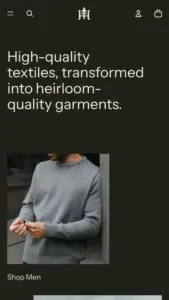
  • The main demo scored 67 mobile against 97 desktop, so test its complex visual layouts on actual phones.

How fast is Heritage?

Google PageSpeed Insights scores out of 100. Demo results average the home, collection, and product pages.

The official Heritage demo scored 70/100 on mobile and 98/100 on desktop in our November 2026 test. Mobile LCP was 9.2s, CLS was 0.00, and Total Blocking Time was 0ms.

Theme demo store

Official Heritage demo, average of 3 pages
70 /100
Mobile
Needs improvement
98 /100
Desktop
Good
By pageMobileDesktop
Home page 71 98
Collection page 74 98
Product page 66 98
MetricMobileDesktop
Largest Contentful Paint 8.3s 981ms
Cumulative Layout Shift 0.00 0.00
Total Blocking Time 0ms 9ms
Speed Index 4.0s 987ms
MetricMobileDesktop
Largest Contentful Paint 9.0s 1.0s
Cumulative Layout Shift 0.00 0.00
Total Blocking Time 0ms 0ms
Speed Index 3.4s 1.2s
MetricMobileDesktop
Largest Contentful Paint 10.3s 1.0s
Cumulative Layout Shift 0.00 0.00
Total Blocking Time 0ms 0ms
Speed Index 6.9s 1.0s

Lab data from PageSpeed Insights, Nov 2026

Across 8 live stores we tested, the average PageSpeed score was 57/100 on mobile and 70/100 on desktop. Average mobile LCP was 8.9s and CLS was 0.01. These results reflect complete production stores, not the theme alone.

Live stores average

Mean across 8 stores running Heritage
57 /100
Mobile
Needs improvement
70 /100
Desktop
Needs improvement
MetricMobileDesktop
Largest Contentful Paint 8.9s 1.6s
Cumulative Layout Shift 0.01 0.01
Total Blocking Time 791ms 845ms
Speed Index 6.4s 3.5s

Real stores carry their own apps, images and traffic

Per-store results

8 live stores · tested Nov 2026
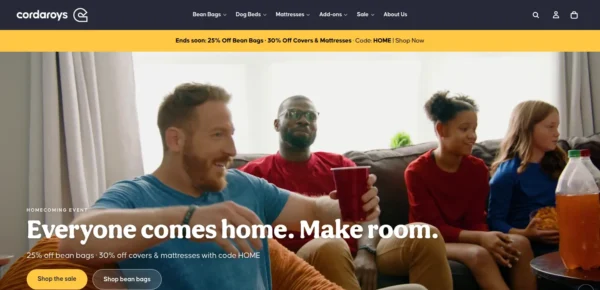
cordaroys Convertible Bean Bags
cordaroys.com
Mobile 38
Desktop 56
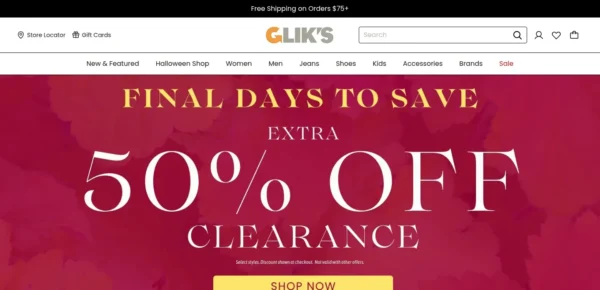
Glik's
gliks.com
Mobile 44
Desktop 56
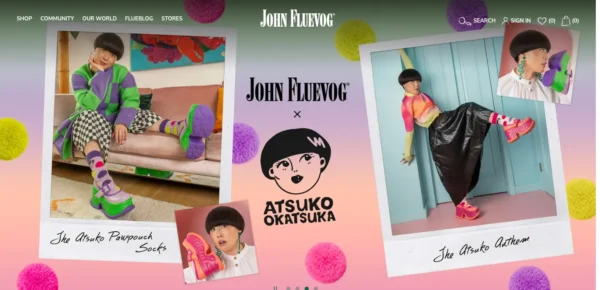
John Fluevog Shoes
fluevog.com
Mobile 100
Desktop 58
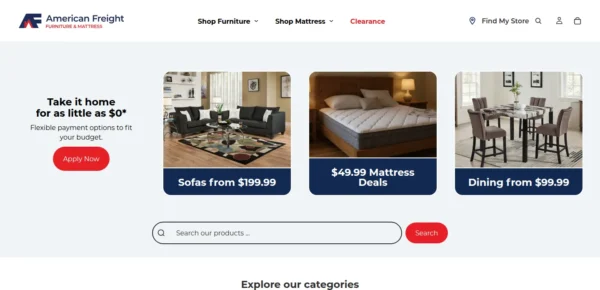
American Freight
americanfreight.com
Mobile 70
Desktop 92
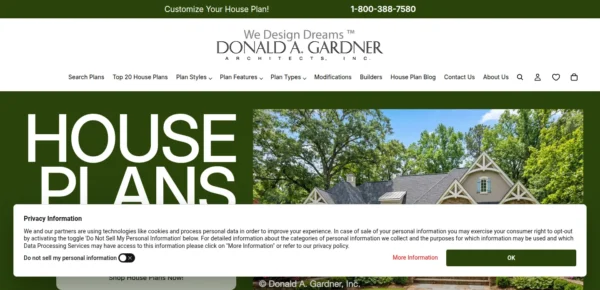
Donald A. Gardner Interactive, LLC.
dongardner.com
Mobile 48
Desktop 84
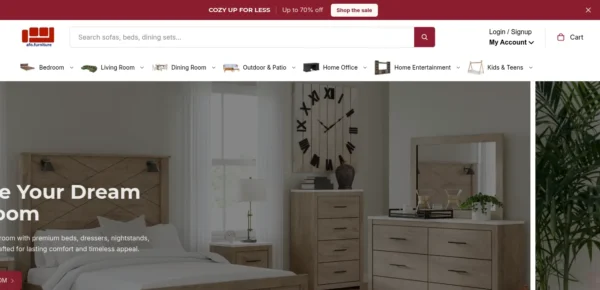
American Furniture Outlet
afo.furniture
Mobile 65
Desktop 69
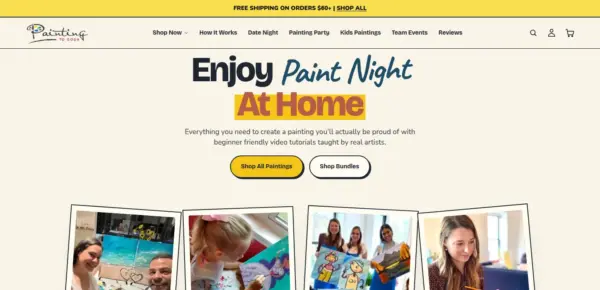
Painting to Gogh
paintingtogogh.com
Mobile 49
Desktop 56
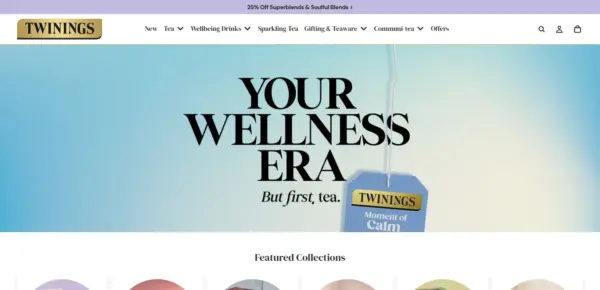
Twinings
twinings.co.uk
Mobile 38
Desktop 87

Features

Built-in features listed on the Theme Store.

Cart and checkout

  • Cart notes
  • In-store pickups
  • Pre-order
  • Quick buy
  • Sign in with Shop
  • Slide-out cart
  • Sticky cart

Customer accounts and sign-in

  • Account menu

Marketing and conversion

  • Blogs
  • Cross-selling
  • Customizable contact form
  • EU translations (EN, FR, IT, DE, ES)
  • FAQ page
  • In-menu promos
  • Press coverage
  • Product badges
  • Promo banners
  • Quick view
  • Recently viewed
  • Recommended products
  • Stock counter
  • Quantity pricing (Shopify Plus)

Merchandising

  • Animation
  • Color swatches
  • High-resolution images
  • Image galleries
  • Image rollover
  • Image zoom
  • Ingredients or nutritional information
  • Lookbooks
  • Product options
  • Product videos
  • Shipping/delivery information
  • Size chart
  • Slideshow
  • Usage information

Product discovery

  • Enhanced search
  • Infinite scroll
  • Mega menu
  • Product filtering and sorting
  • Recommended products
  • Sticky header
  • Swatch filters
42 features

Heritage ranking and satisfaction

Position among all Shopify themes
#1118 of 1375
Position among Shopify themes for "clothing"
#249 of 271
Overall satisfaction based on all reviews
47% positive

Release history

LATEST VERSION
v4.5.0
Released November 10, 2026
Highly active

Heritage is actively maintained, with 17 releases in the last 12 months.

Releases in 12 mo 17
Total releases 36
First release May 21, 2025
v4.5.0 FEATURE
Release Notes - Version 4.5.0

Product pages can now list physical stores that have a product in stock, even when they don't offer pickup. This is on by default and can be turned off in the Buy buttons block. This update also includes screen reader accessibility improvements, page speed improvements, and fixes for product layouts and quick add.

What's Changed

Added

  • Added the option to show physical stores that have a product in stock in the product page pickup availability, including stores that don't offer pickup. The option is on by default, so after updating, product pages can list these stores without any setting changes.

Fixes and improvements

  • Gave the Hero section link an accessible name for screen readers when it links to a product, collection, page, blog, article, policy, the home page, all products, or all collections.
  • Fixed product recommendations showing one product per row when the block's width falls between two layout breakpoints, such as 449.5px.
  • Fixed product details with a fit-content width and long unbroken text overflowing their column on tablet and desktop screens.
  • Linked Image blocks now tell screen readers where the link goes, such as "Collection: Spring", instead of relying on the image's alt text.
  • Improved page speed: Blog posts and Collection list card images after the third section of a page now load lazily, and mobile cards request images closer to their size.
  • Fixed quick add and mobile product hotspots opening an empty or incomplete modal when the product template hides the product information section or its price, variant picker, or buy buttons.
v4.4.0 FEATURE
Release Notes - Version 4.4.0

This update improves cart messaging by adding support for fees in tax and shipping information and ensures quantity changes show error messages instead of failing silently. It also fixes the announcement bar text clipping and resolves issues with product images in blog posts stretching incorrectly.

What's Changed

Added

  • Added support for mentioning fees in the cart's taxes and shipping message. Fees are currently in early access. Learn more & request access.
  • Added a mobile menu drawer divider color setting.

Fixes and improvements

  • Fixed the page not scrolling after the Android Back button closes a drawer or pop-up.
  • Fixed the descenders on text in the announcement bar from being visibly clipped.
  • Fixed images in blog posts stretching to the full content width instead of keeping their set or original size.
  • Check out now waits for a pending quantity save, so a rejected quantity shows its message in place of a silent failure.
  • Improved collection menu rendering by using each collection's image or its first product's image without searching later products.
  • Fixed header menu items sitting higher than the header icons in the sticky header when the logo is hidden on the home page.
  • Fixed submenu columns and featured product and collection cards in the header's More menu becoming too narrow to read when the cart drawer is open.
  • Fixed the mobile navigation bar briefly appearing in the desktop header, and the page content shifting, while a page loads.
  • Fixed long email signup headings overflowing the footer instead of wrapping.
  • Fixed the sticky header covering the top of sticky product media on desktop.
  • Fixed the email signup form going past the edge of a crowded row of blocks at tablet widths, which cut off the sign-up button.
  • Fixed long unbroken text in product details squeezing the product media and making the page scroll sideways on wide screens.
  • Fixed the product recommendations block showing one product per row instead of a multi-column grid on large screens.
  • Fixed inputs in blocks inside a layered slideshow, such as the email sign-up field, not taking focus when clicked.
  • Fixed the price disappearing in the featured product section after switching between variants with and without a compare-at price.
  • Fixed product media carousel arrows not showing when the Icons setting showed Arrows on product templates from earlier theme versions.
  • Fixed buttons not using the Accent font's weight and style when their Font setting is Accent.
  • Fixed large text sometimes overflowing its container when the page's font loaded late.
  • Fixed the search modal going blank while typing on storefronts in languages predictive search doesn't support, such as Arabic and Hebrew. The modal now keeps its default content, and pressing Enter opens the full search results page.
  • Fixed product card images sometimes going blank after selecting color swatches when the product list uses the carousel layout.
  • Fixed the quantity selector stacking above the add to cart button in quick add when the product page sets a custom width on the group that holds the buy buttons.
  • Renamed the "Installments" setting in the price block and cart settings to "Show Shop Pay payment options", and added help text explaining that it displays Shop Pay Installments and HSA/FSA badges.
  • Fixed carousels and other multi-item slideshows on right-to-left storefronts (Arabic, Hebrew) moving by the wrong number of items, skipping items after a swipe, and ignoring quick mouse flicks.
  • Fixed product names touching or being cut off by rounded product card corners in the tiny collection view.
v4.3.0 FEATURE
Release Notes - Version 4.3.0

Product disclosures are now shown only to buyers in the jurisdiction scoped by the disclosure. This update also includes several bug fixes to cart functionality, carousel usability, and information on pickup location availabilities.

What's Changed

Added

  • Filter product disclosures by the buyer's jurisdiction. A disclosure scoped to a country or a country subdivision is now shown only to buyers in that jurisdiction, and is shown whenever the buyer's jurisdiction cannot be determined.

Fixes and improvements

  • Stop rendering product card slideshow arrows on cards that have only one navigable image, where clicking them did nothing.
  • Improved desktop carousel clicks and drag cursor behavior.
  • Fixed product cards and quick add requiring two taps in carousels on iPhone.
  • Improved product disclosure icon sizing and alignment.
  • Fixed the cart drawer overlapping the installments details dialog after cart contents changed.
  • Fixed cart notes not saving after adding the first item to an initially empty cart drawer.
  • Fixed cart quantity buttons becoming enabled at their limits after cart note updates.
  • Renamed the header's customer account menu setting to "Customer account menu" so it is no longer mistaken for the header navigation menu.
  • Fixed header dropdown menus not resizing when images load after the menu opens.
  • Improved how quickly the page responds when opening the mobile menu and the cart drawer.
  • Fixed hidden variant media showing again after selecting an unavailable option combination.
  • Fixed the menu backdrop not dimming the page after scrolling.
  • Fixed product pages showing pickup as not available when the first store listed was out of stock but another store had it in stock.
  • Fixed cart quantity updates from quick order lists when a Buy X Get Y discount apply
  • Fixed the cart count after navigating back to a previous page.
  • Improved first paint time by no longer preloading theme fonts.
  • Fixed the sticky header disappearing on mobile while search, the menu, or the cart is open.
v4.2.0 FEATURE
Release Notes - Version 4.2.0

This update improves support for right-to-left (RTL) languages. The HTML page's base text direction is now set to match the shopper's requested language, correcting text order and alignment. This update also includes various bug fixes, notably the cart drawer and cart page showing stale line items after using the browser Back button.

What's Changed

Added

  • Adds a new Liquid drop and styling to support display of right-to-left languages. All templates now render [dir={{ request.locale.direction }}] to communicate the language's direction to the browser.
  • Alignment and position settings that store left/right values now render as logical CSS (start/end), so they mirror correctly on right-to-left storefronts with no change on left-to-right storefronts.

Fixes and improvements

  • Align the account popover dialog so it opens from the account button instead of the bottom of the header.
  • Fixed the cart drawer and cart page showing stale line items after a browser Back, whether the page comes back from the back/forward cache or is rebuilt from the HTTP cache.
  • Render the Catalog link in menus as text instead of a Liquid error when no product image is available.
  • Fixed the filters drawer leaving empty space beside the "See items" button when no filters were applied.
  • Serve smaller product card images in two-column mobile collection and search grids.
  • Load Quick Add's JavaScript only when Quick Add is enabled.
  • Fixed the header language selector's dropdown arrow keeping the top row text color instead of following the transparent header text color.
  • Fixed price filter values being wiped mid-edit when a shopper moves between the low and high price boxes.
  • Fixed anchor-positioned popovers staying glued to the physical left edge of their trigger in right-to-left locales.
  • Fixed prices, price ranges, unit prices, SKUs, discount codes and gift card codes rendering with their parts in the wrong order inside right-to-left text.
  • Fixed horizontal scroll hint fades and scroll-into-view alignment in right-to-left languages, so the fade appears on the correct edge and tracks the scroll position.
  • Fixed uploaded videos in popup link blocks not playing in Safari. The video now starts when the popup opens and stops when it closes.
  • Fixed swatch rows widening rounded product cards before their layout initializes.
v4.1.5 FIX
Release Notes - Version 4.1.5

This release ships multiple bug fixes and performance improvements.

What's Changed

Fixes and improvements

  • Fixed blocks with rounded corners being forced to equal heights.
  • Fixed the page jumping back to the top after closing the cart drawer on a phone, so shoppers keep their place while browsing.
  • Fixed popular countries being listed twice in the country selector.
  • Fixed desktop header dropdown menus opening blank while the page is still loading.
  • Fixed a thin line of the page background appearing along the bottom edge of the header's top row.
  • Fixed app blocks not responding to clicks on the storefront when placed inside a Hero section.
  • Improved display on iPhone: pages now extend edge-to-edge, removing the white bars beside the notch in landscape, while content and controls stay clear of the notch and home indicator.
  • Fixed group blocks in product cards stacking on mobile when their "Vertical on mobile" setting was turned off.
  • Fixed cart quantity inputs losing what the buyer typed when the cart refreshed mid-edit.
  • Fixed the cart item quantity input shrinking, most visibly in the cart drawer on tablets.
  • Fixed grid layouts, such as the collection list, overflowing the page and overlapping other sections on the storefront.
  • Fixed a horizontal scrollbar flashing on slideshows when moving the pointer between the pagination dots and the slide.
  • Fixed a slide's video thumbnail showing behind the text when a slideshow places content below the media.
  • Multiple improvements for rendering performance.

Full changelog

36 releases
Loading releases…

What merchants say about Heritage Shopify theme

We know about 15 reviews · showing 6

Merchant sentiment summary

AI

7 of 14 reviews are positive, 3 neutral and 4 negative. Merchants praise the theme's design quality, its free price and its inspiration value, with some noting it suits experienced developers more than beginners. The most common criticisms are broken functionality, including variant pickers and swatches, cart drawer behaviour and a rigid schema that makes customisation hard.

Generated from all 14 Theme Store reviews ·

Positive 7 · 47%
Neutral 3 · 20%
Negative 5 · 33%
Poorly rated

Heritage has received 8 reviews in the last 12 months.

Reviews in 12 mo 8
Total reviews 15
First review

I did make a PC version and i was expecting it to be on mobile just smaller but no the boxes were half the size as i wanted on mobile. On PC it looked good but its only on Mobile im not so much happy about.

S
Spiex
Nov 12, 2026

I would love this theme but it's just broken. When you have a "compare at" price then the sticky add to cart on mobile looks janky as hell because it doesn't fit into the box.

H
HimSeoul
Oct 19, 2026

While I agree it is quite complex for entry level users, I'm working on a dark mode prevalent rainbow color palette and default scheme by color set up that I'm willing to share when I get it done. I did find that it's quite basic with its color assignments for such a complex structure so I'm working on something that loads more than just background and foreground colors. Thank you for this build!

S
Soul Sketcher Studios
Aug 29, 2026

The cart drawer has a serious bug that breaks the user experience. When a customer adds a product, scrolls down the page, then opens and closes the cart drawer, the page automatically jumps back to the top. This happens consistently and is extremely frustrating, especially on mobile. This completely disrupts the shopping flow. Customers lose their position every time they interact with the cart.

B
BELVANIQ
Apr 20, 2026

Es un buen tema pero no muestra en muchas ocasiones la primer foto publicada por producto, muestra cualquiera de las fotos de la galería de producto y hace que se pierda la estética que quiero mostrar.

R
Revivium
Apr 6, 2026

The Heritage theme is well structured, but its rigid schema and limited documentation make even basic customizations unnecessarily complex. Routine branding changes require direct code edits, and small errors can easily break functionality. While suitable for experienced developers, it’s a challenging and time-consuming option for most store owners.

T
The Rustic Ivy
Jan 16, 2026

Alternatives to Heritage for Clothing industry

Fastest
Swissuplabs 3 presets

Clothing and lifestyle collections flow through lookbooks, product hotspots, and continuous scrolling.

Clothing Sports Jewelry and accessories
5.0 · 18 reviews $ 120

Popular
eComX 5 presets

Makes it easy to show complete outfits and related pieces alongside the main fashion collection.

Clothing Art Wellness Kids
5.0 · 268 reviews $ 170
Fastest
Someone You Know 5 presets

Turns editorial fashion and jewelry images into shoppable displays, with continuous product browsing.

Clothing Jewelry and accessories Shoes Bags Home
4.9 · 174 reviews $ 150
Popular
UTD BV 5 presets

Puts fashion photography first, letting customers explore outfits through lookbooks and shoppable images.

Clothing Jewelry and accessories Beauty Home Bags
4.6 · 33 reviews $ 100
FoxEcom 5 presets

Blends words, images, and video in beauty pages, with an interactive drawer for searching products.

Clothing Beauty Home
5.0 · 627 reviews $ 350
UTD BV 5 presets

Combines apparel lookbooks and size charts with AI-assisted page setup and a sticky shopping cart.

Clothing Art Home
4.6 · 82 reviews $ 100
scandiweb 5 presets

Puts detailed apparel and accessory photography first, with precise layouts and interactive lookbooks.

Clothing Bags Jewelry and accessories Home
4.9 · 33 reviews $ 100
FoxEcom 5 presets

Designed for wholesale shopping, with bulk order lists and pricing tools for business customers.
Clothing Home Beauty Electronics Food and drink
5.0 · 529 reviews $ 400