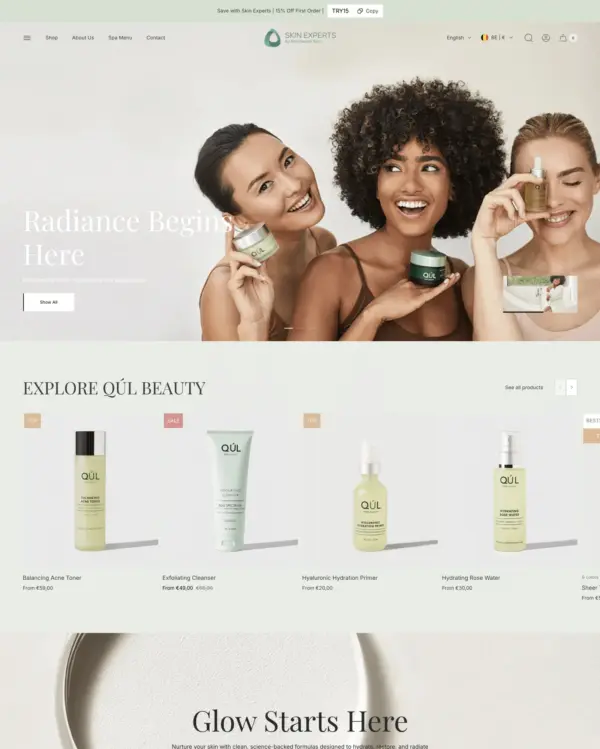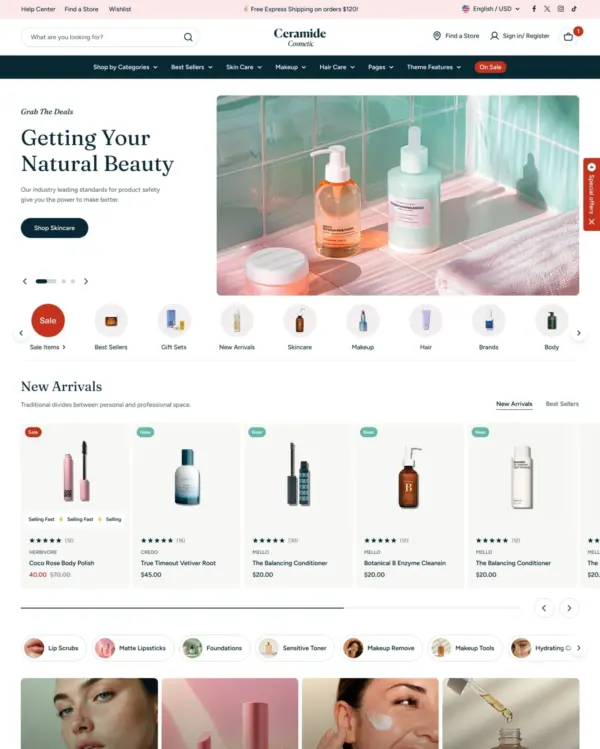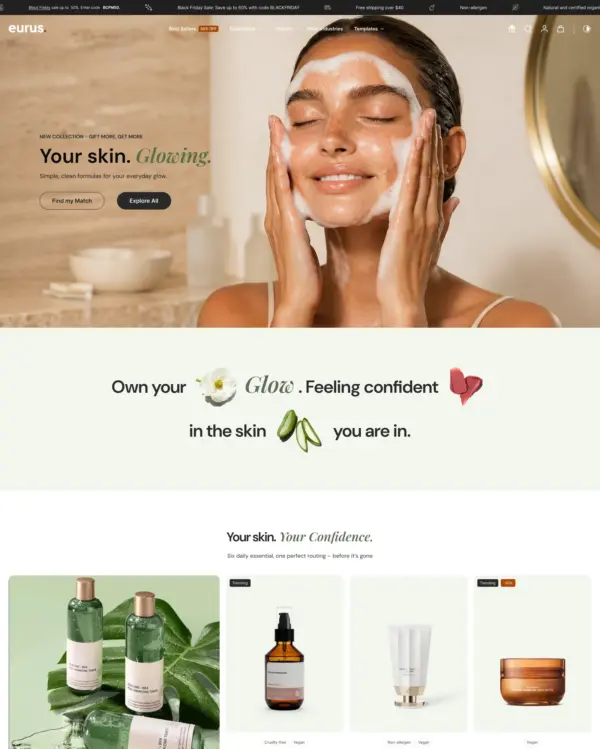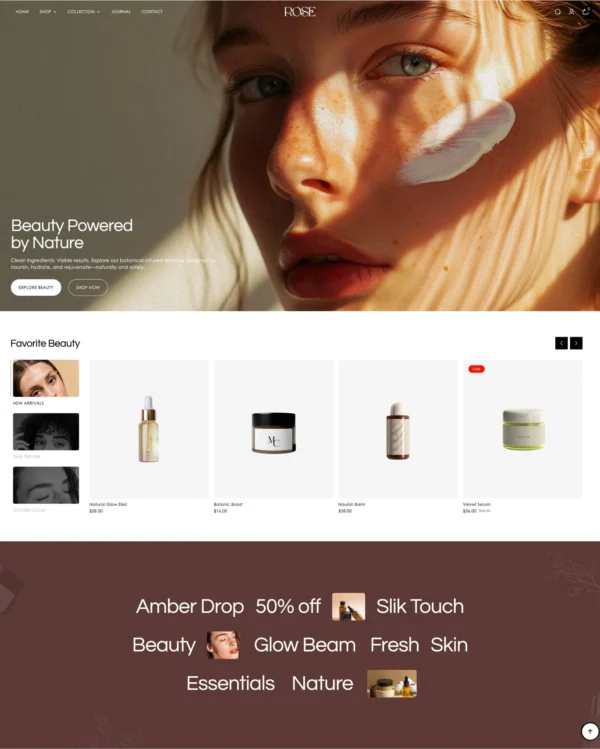

Fastest
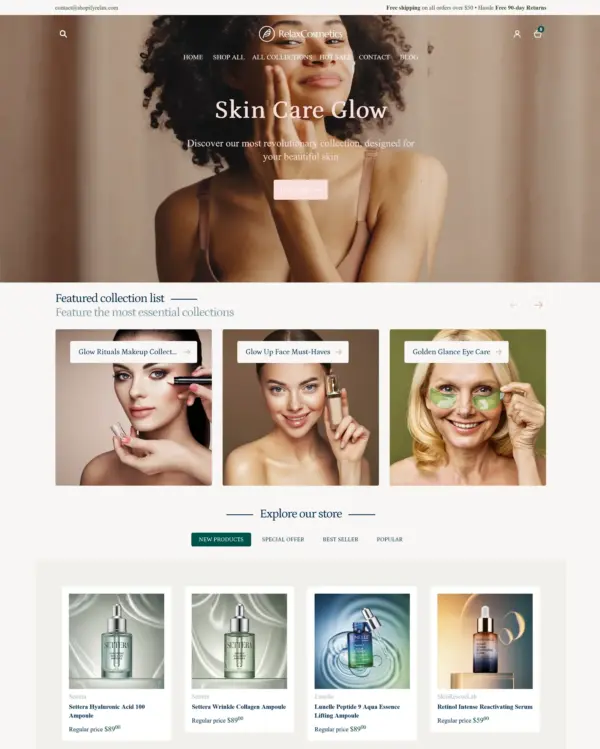
Swissuplabs 3 presets
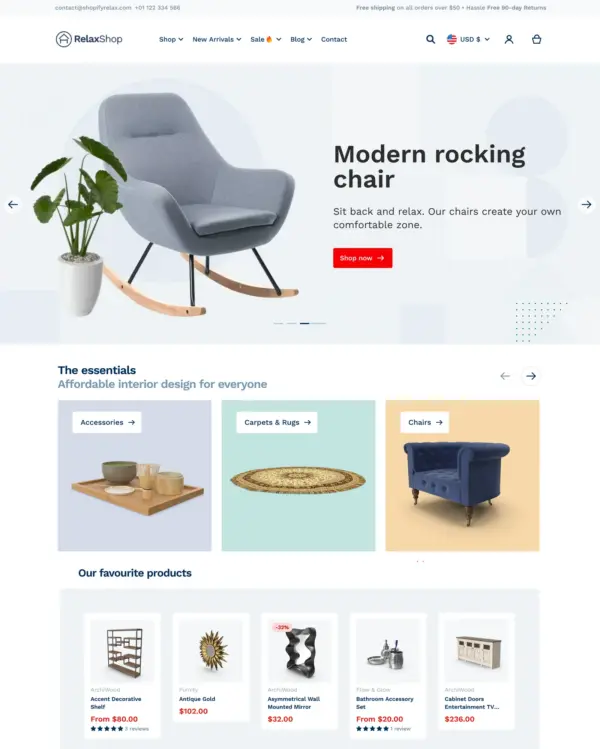
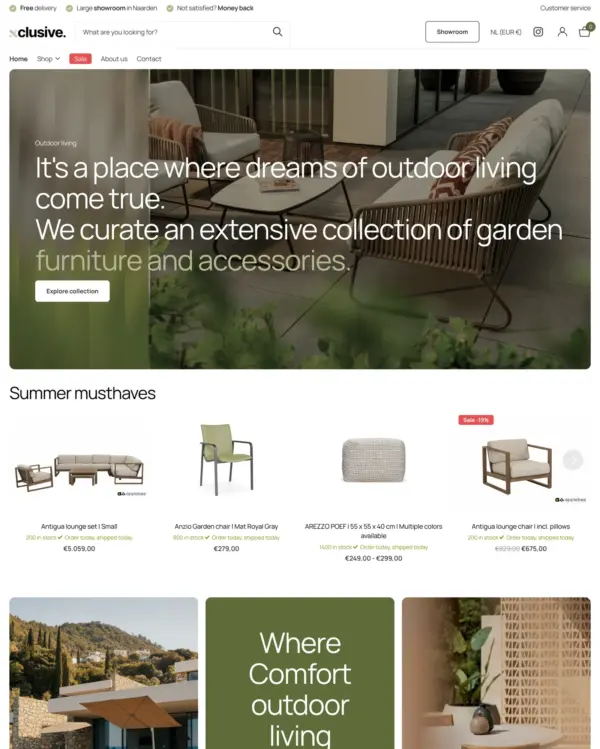
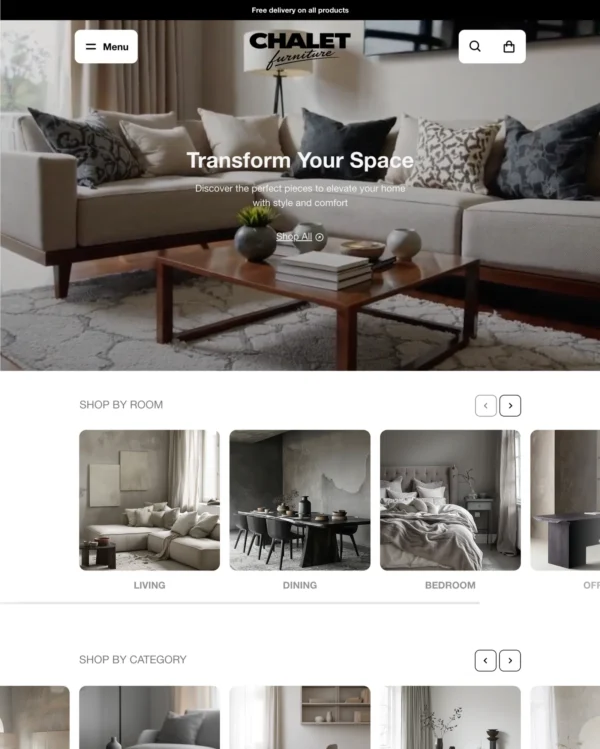
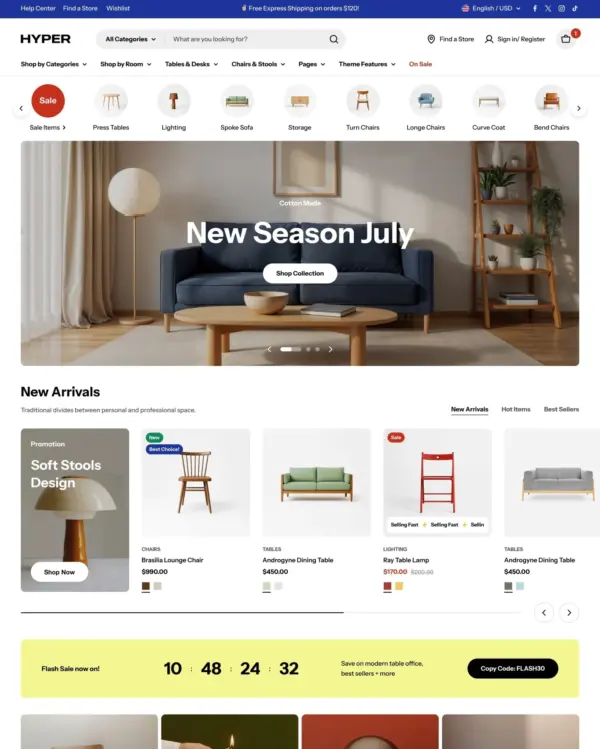
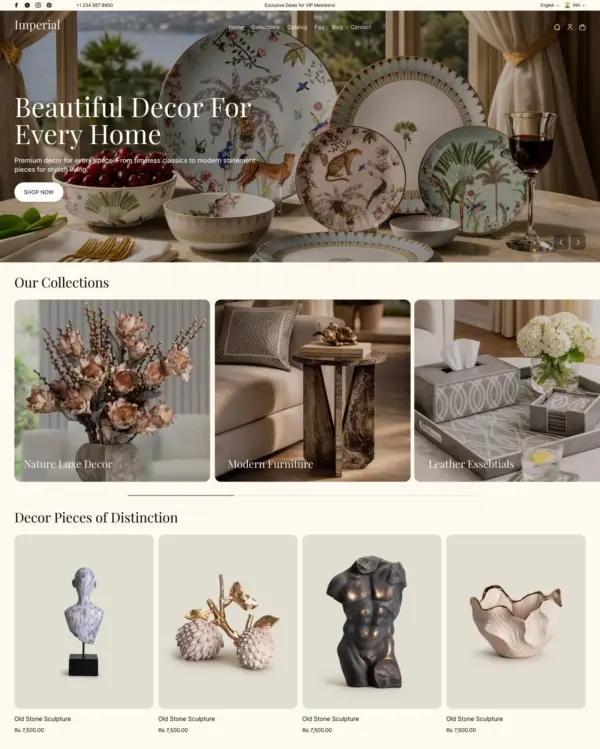
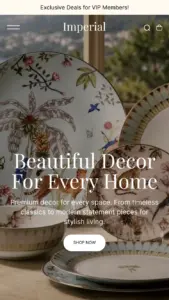
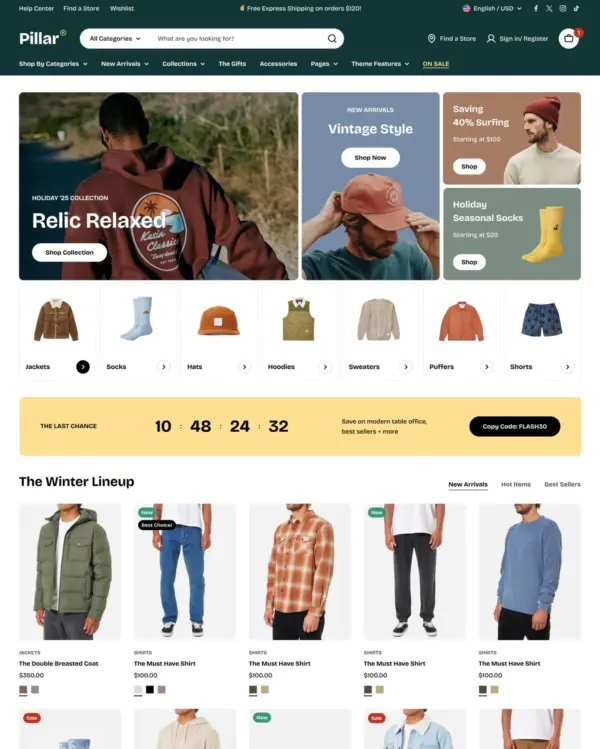
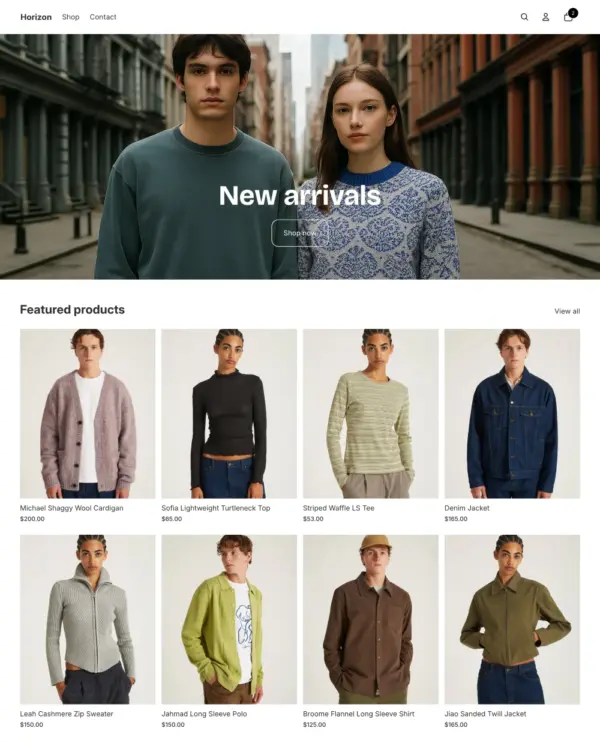
Takes a lightweight approach to home shopping, with built-in suggestions for related products.
Beauty Home Art
5.0 · 28 reviews $ 100






Created by FoxEcom
Independently reviewed by the eDIY editorial team
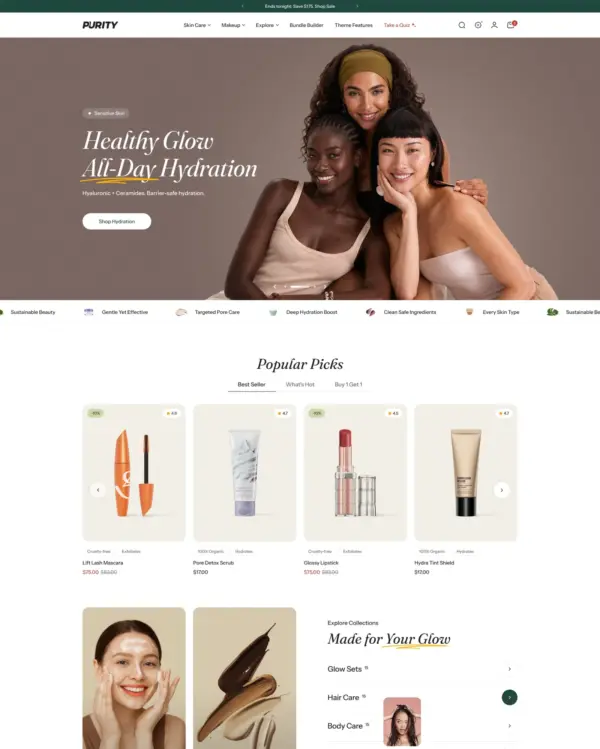
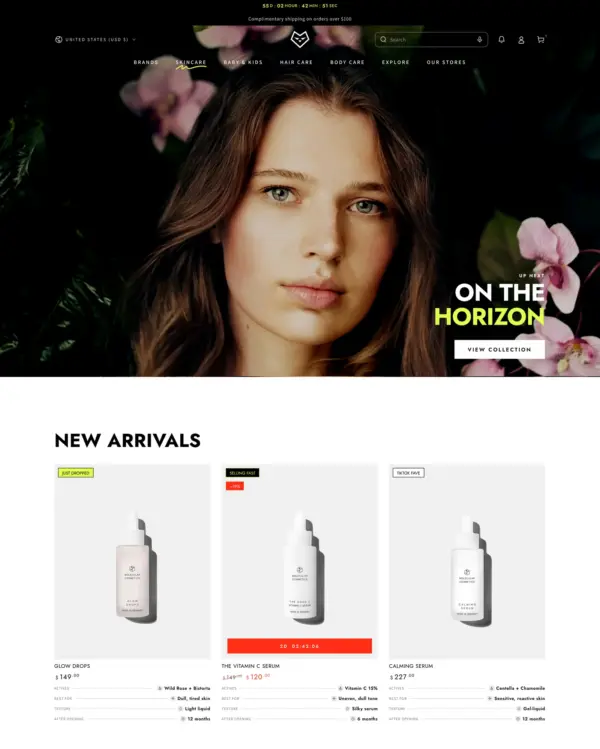
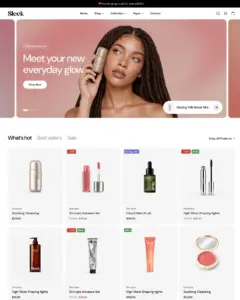
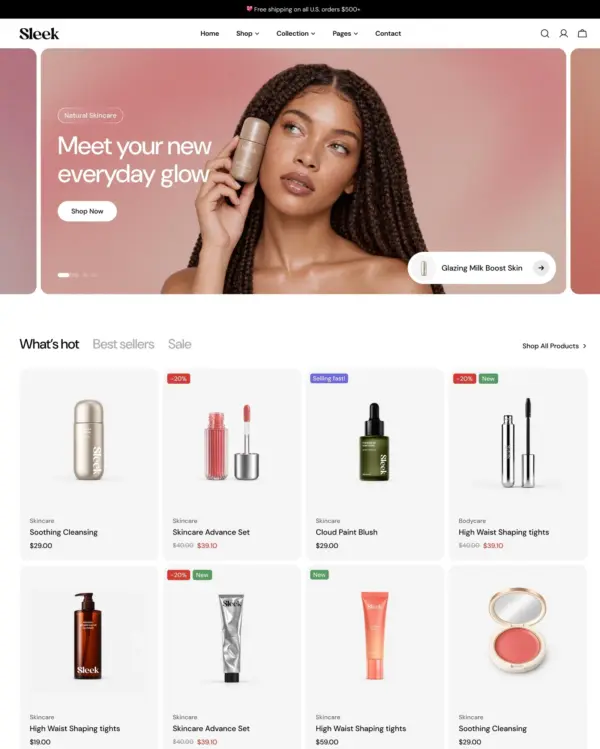
Sleek is a persuasive option for beauty and skincare brands that want their store to feel like a designed experience rather than a catalog. Its mix of copy, video and product discovery is well suited to explaining routines and ingredients. The $350 price is substantial, but more than 600 published reviews provide an unusually strong base of merchant feedback. We would temper expectations about performance: the main demo scored 77 on mobile while eight live stores averaged 52, and desktop scores were modest too. Sleek makes sense when polished storytelling is important enough to justify careful production optimization.

Google PageSpeed Insights scores out of 100. Demo results average the home, collection, and product pages.
The official Sleek demo scored 85/100 on mobile and 97/100 on desktop in our November 2026 test. Mobile LCP was 3.6s, CLS was 0.00, and Total Blocking Time was 155ms.
| By page | Mobile | Desktop |
|---|---|---|
| Home page | 88 | 96 |
| Collection page | 88 | 97 |
| Product page | 79 | 98 |
| Metric | Mobile | Desktop |
|---|---|---|
| Largest Contentful Paint | 2.9s | 601ms |
| Cumulative Layout Shift | 0.00 | 0.00 |
| Total Blocking Time | 110ms | 40ms |
| Speed Index | 6.9s | 2.0s |
| Metric | Mobile | Desktop |
|---|---|---|
| Largest Contentful Paint | 3.5s | 826ms |
| Cumulative Layout Shift | 0.00 | 0.00 |
| Total Blocking Time | 140ms | 109ms |
| Speed Index | 3.3s | 1.3s |
| Metric | Mobile | Desktop |
|---|---|---|
| Largest Contentful Paint | 4.5s | 913ms |
| Cumulative Layout Shift | 0.01 | 0.01 |
| Total Blocking Time | 216ms | 35ms |
| Speed Index | 3.9s | 1.3s |
Lab data from PageSpeed Insights, Nov 2026
Across 8 live stores we tested, the average PageSpeed score was 48/100 on mobile and 66/100 on desktop. Average mobile LCP was 9.2s and CLS was 0.03. These are complete production stores, so the numbers cover more than the theme itself.
| Metric | Mobile | Desktop |
|---|---|---|
| Largest Contentful Paint | 9.2s | 1.5s |
| Cumulative Layout Shift | 0.03 | 0.01 |
| Total Blocking Time | 1.4s | 1.7s |
| Speed Index | 10.9s | 4.4s |
Real stores carry their own apps, images and traffic
Google PageSpeed Insights scores out of 100. Demo results average the home, collection, and product pages.
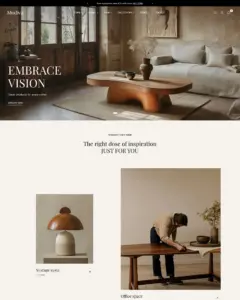
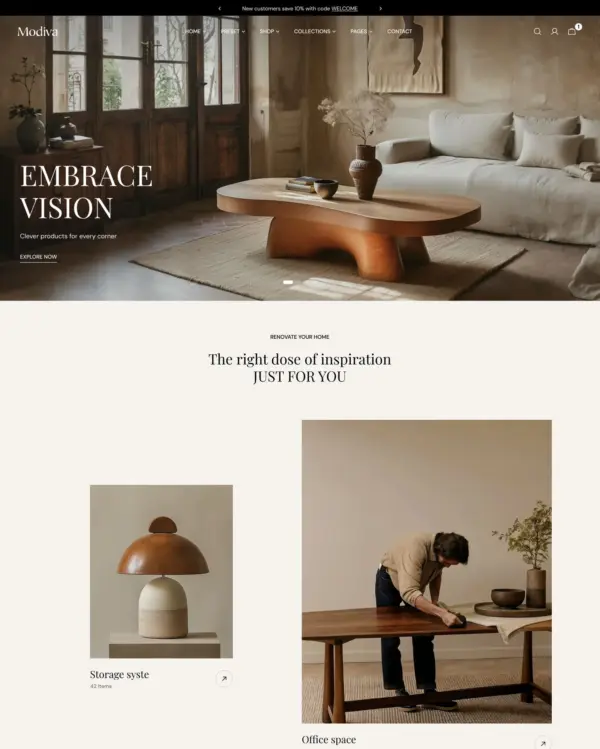
The official Modiva demo scored 75/100 on mobile and 92/100 on desktop in our November 2026 test. Mobile LCP was 5.0s, CLS was 0.00, and Total Blocking Time was 253ms.
| By page | Mobile | Desktop |
|---|---|---|
| Home page | 82 | 91 |
| Collection page | 68 | 99 |
| Product page | 77 | 88 |
| Metric | Mobile | Desktop |
|---|---|---|
| Largest Contentful Paint | 3.2s | 681ms |
| Cumulative Layout Shift | 0.00 | 0.00 |
| Total Blocking Time | 331ms | 139ms |
| Speed Index | 4.9s | 2.5s |
| Metric | Mobile | Desktop |
|---|---|---|
| Largest Contentful Paint | 7.0s | 861ms |
| Cumulative Layout Shift | 0.00 | 0.00 |
| Total Blocking Time | 282ms | 51ms |
| Speed Index | 4.5s | 1.1s |
| Metric | Mobile | Desktop |
|---|---|---|
| Largest Contentful Paint | 4.8s | 1.3s |
| Cumulative Layout Shift | 0.00 | 0.00 |
| Total Blocking Time | 145ms | 207ms |
| Speed Index | 5.0s | 1.5s |
Lab data from PageSpeed Insights, Nov 2026
Across 8 live stores we tested, the average PageSpeed score was 48/100 on mobile and 66/100 on desktop. Average mobile LCP was 9.2s and CLS was 0.03. These results reflect complete production stores, not the theme alone.
| Metric | Mobile | Desktop |
|---|---|---|
| Largest Contentful Paint | 9.2s | 1.5s |
| Cumulative Layout Shift | 0.03 | 0.01 |
| Total Blocking Time | 1.4s | 1.7s |
| Speed Index | 10.9s | 4.4s |
Real stores carry their own apps, images and traffic
Google PageSpeed Insights scores out of 100. Demo results average the home, collection, and product pages.
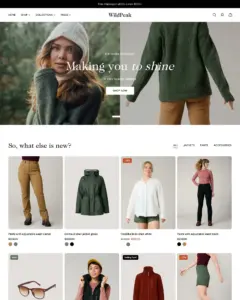
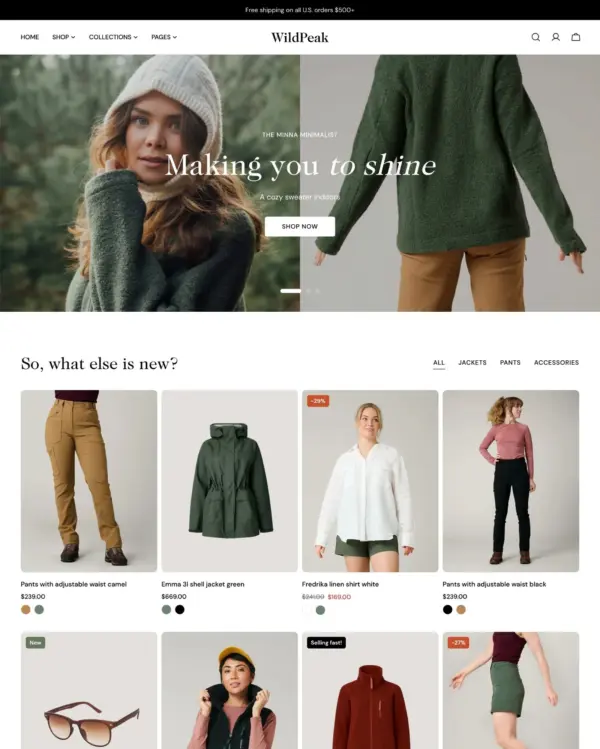
Tested in November 2026, the official Wildpeak demo scored 77/100 on mobile and 91/100 on desktop. Mobile LCP was 5.7s, CLS was 0.00, and Total Blocking Time was 112ms.
| By page | Mobile | Desktop |
|---|---|---|
| Home page | 86 | 94 |
| Collection page | 72 | 92 |
| Product page | 75 | 89 |
| Metric | Mobile | Desktop |
|---|---|---|
| Largest Contentful Paint | 4.1s | 901ms |
| Cumulative Layout Shift | 0.00 | 0.00 |
| Total Blocking Time | 48ms | 136ms |
| Speed Index | 3.6s | 1.7s |
| Metric | Mobile | Desktop |
|---|---|---|
| Largest Contentful Paint | 6.6s | 942ms |
| Cumulative Layout Shift | 0.00 | 0.00 |
| Total Blocking Time | 191ms | 204ms |
| Speed Index | 4.1s | 1.3s |
| Metric | Mobile | Desktop |
|---|---|---|
| Largest Contentful Paint | 6.6s | 1.5s |
| Cumulative Layout Shift | 0.00 | 0.01 |
| Total Blocking Time | 98ms | 158ms |
| Speed Index | 3.7s | 1.6s |
Lab data from PageSpeed Insights, Nov 2026
Across 8 live stores we tested, the average PageSpeed score was 48/100 on mobile and 66/100 on desktop. Average mobile LCP was 9.2s and CLS was 0.03. These are complete production stores, so the numbers cover more than the theme itself.
| Metric | Mobile | Desktop |
|---|---|---|
| Largest Contentful Paint | 9.2s | 1.5s |
| Cumulative Layout Shift | 0.03 | 0.01 |
| Total Blocking Time | 1.4s | 1.7s |
| Speed Index | 10.9s | 4.4s |
Real stores carry their own apps, images and traffic
Google PageSpeed Insights scores out of 100. Demo results average the home, collection, and product pages.
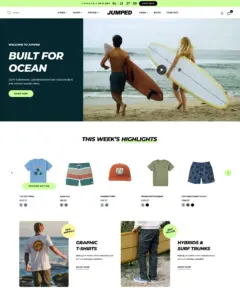
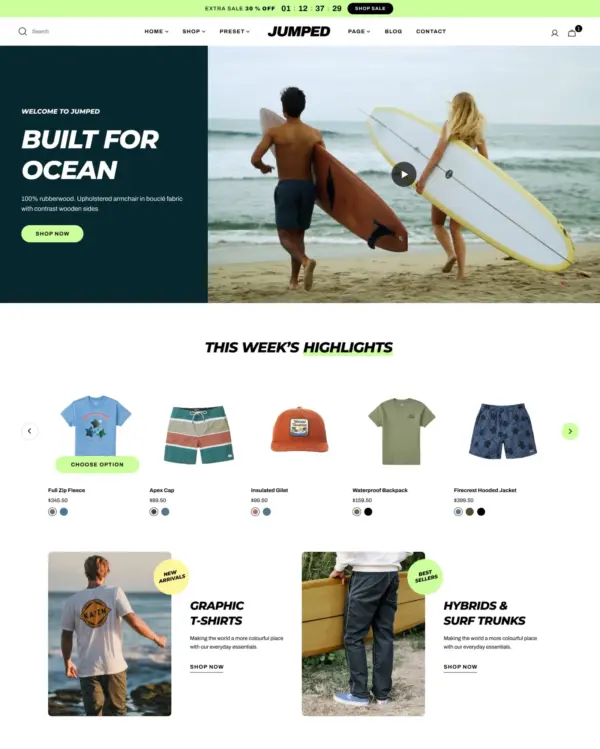
Tested in November 2026, the official Jumped demo scored 79/100 on mobile and 93/100 on desktop. Mobile LCP was 5.9s, CLS was 0.00, and Total Blocking Time was 127ms.
| By page | Mobile | Desktop |
|---|---|---|
| Home page | 90 | 96 |
| Collection page | 74 | 100 |
| Product page | 75 | 85 |
| Metric | Mobile | Desktop |
|---|---|---|
| Largest Contentful Paint | 3.0s | 806ms |
| Cumulative Layout Shift | 0.00 | 0.00 |
| Total Blocking Time | 127ms | 43ms |
| Speed Index | 4.7s | 1.9s |
| Metric | Mobile | Desktop |
|---|---|---|
| Largest Contentful Paint | 9.3s | 561ms |
| Cumulative Layout Shift | 0.00 | 0.01 |
| Total Blocking Time | 82ms | 30ms |
| Speed Index | 2.9s | 912ms |
| Metric | Mobile | Desktop |
|---|---|---|
| Largest Contentful Paint | 5.5s | 1.4s |
| Cumulative Layout Shift | 0.01 | 0.00 |
| Total Blocking Time | 173ms | 233ms |
| Speed Index | 4.1s | 1.6s |
Lab data from PageSpeed Insights, Nov 2026
Across 8 live stores we tested, the average PageSpeed score was 48/100 on mobile and 66/100 on desktop. Average mobile LCP was 9.2s and CLS was 0.03. These are complete production stores, so the numbers cover more than the theme itself.
| Metric | Mobile | Desktop |
|---|---|---|
| Largest Contentful Paint | 9.2s | 1.5s |
| Cumulative Layout Shift | 0.03 | 0.01 |
| Total Blocking Time | 1.4s | 1.7s |
| Speed Index | 10.9s | 4.4s |
Real stores carry their own apps, images and traffic
Google PageSpeed Insights scores out of 100. Demo results average the home, collection, and product pages.
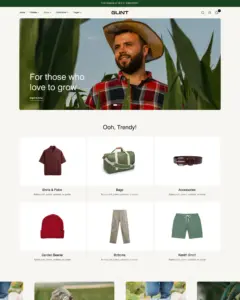
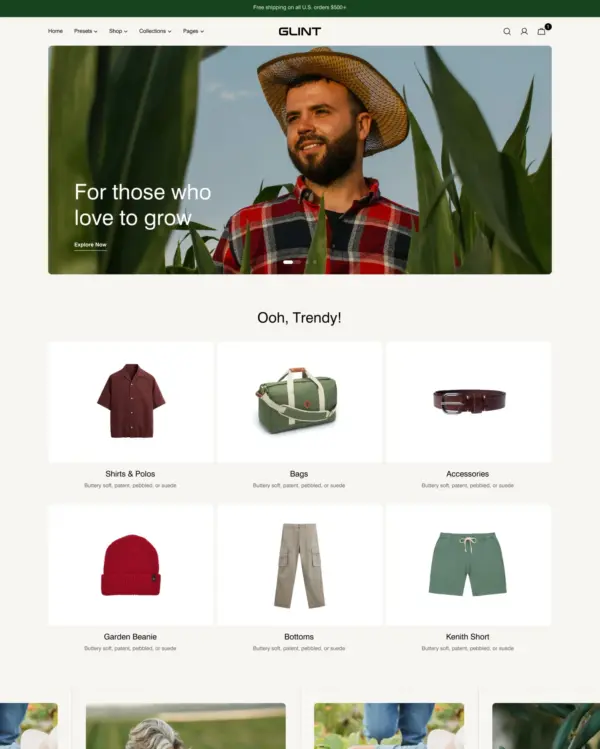
Tested in November 2026, the official Glint demo scored 86/100 on mobile and 95/100 on desktop. Mobile LCP was 4.1s, CLS was 0.00, and Total Blocking Time was 61ms.
| By page | Mobile | Desktop |
|---|---|---|
| Home page | 88 | 98 |
| Collection page | 95 | 95 |
| Product page | 76 | 93 |
| Metric | Mobile | Desktop |
|---|---|---|
| Largest Contentful Paint | 3.5s | 881ms |
| Cumulative Layout Shift | 0.00 | 0.00 |
| Total Blocking Time | 72ms | 49ms |
| Speed Index | 4.5s | 1.3s |
| Metric | Mobile | Desktop |
|---|---|---|
| Largest Contentful Paint | 2.9s | 681ms |
| Cumulative Layout Shift | 0.00 | 0.00 |
| Total Blocking Time | 58ms | 158ms |
| Speed Index | 3.3s | 1.3s |
| Metric | Mobile | Desktop |
|---|---|---|
| Largest Contentful Paint | 5.9s | 1.5s |
| Cumulative Layout Shift | 0.00 | 0.00 |
| Total Blocking Time | 52ms | 45ms |
| Speed Index | 4.0s | 1.4s |
Lab data from PageSpeed Insights, Nov 2026
Across 8 live stores we tested, the average PageSpeed score was 48/100 on mobile and 66/100 on desktop. Average mobile LCP was 9.2s and CLS was 0.03. These are complete production stores, so the numbers cover more than the theme itself.
| Metric | Mobile | Desktop |
|---|---|---|
| Largest Contentful Paint | 9.2s | 1.5s |
| Cumulative Layout Shift | 0.03 | 0.01 |
| Total Blocking Time | 1.4s | 1.7s |
| Speed Index | 10.9s | 4.4s |
Real stores carry their own apps, images and traffic
No features match your search.

Sleek has received 5 updates in the last 12 months.
Sleek 3.0 brings a refreshed design for the Sleek preset, support for theme blocks, 13 new sections and new typography, button and animation settings. Your existing settings keep working, but spacing, the header and some mobile sizes are updated to the new design, so review your store after updating.
Custom section, Feature showcase, Video spotlight, Video showcase, Bundle builder, Detail list, Product quiz with Product quiz results, Step tabs, Step timeline, Product comparison, Before/after testimonials and Variant explorerFooter section built from theme blocks, with menu, gallery and email signup columnsSlideshow: Slide transition with a new Parallax optionHeader: Search icon position for a centred logo on phones, and Push button to bottom for promotion banners in the mega menu and mobile menuTestimonials: Author position, card width and a partial fade at the edgesBlog posts: Date format, a link button and row gap settingsPress: a Split layout, container and Logo gap settingsCollection list: a split layout with Header width and Header to collections spacingRelated products can now be added to the cart page and recommends products from the cartProducts bundle: a mobile image and hotspot positionsBlog postsProducts bundle now refuses the whole bundle, with Shopify's message, when one of its products is sold out, instead of adding the other itemsFooter (classic) in the theme editorfocus-inset class, update it: the logo now uses a single responsive image and the focus helper was renamedQuick order list emptying after a cart change, and its quantity can no longer exceed the available stockSlideshow text staying hidden with reduced motion on, and Scrolling promotion now follows the animation and reduced-motion settingsCountdown timer digits changing the block width, Favorite products opening several quick views at once, Related products leaving an empty gap when recommendations fail to load, and a Testimonials error for products without an imageThis release makes the product page respond the moment a shopper picks a variant, brings bundle components into the cart, and removes the layout shift the slideshow caused while loading — along with a broad set of touch and mobile fixes.
Slideshow caused while loading, across centered, adapt-height and animated-text layoutsSlideshow background image on large screensVideo banners, and video banners not autoplaying in Safari on iPhone<select> pickers and app widgets (contact form, footer subscribe, cart note and coupon fields) not responding to taps on mobile, and duplicate "ghost" taps on iOSCollections slider, Product list with details and Products bundle now work on phones and tablets: the first tap shows what hovering shows on desktop, and a second tap on the same item opens its link, instead of jumping straight to the link on the first tapCollection page applying its wide-tile rule in 1-column mobile layoutsImage with text loading an image about twice the size it displays atIn this release, we introduce a redesigned search drawer with a new layout option, promotion blocks for collection pages, global motion controls, and multi-currency free shipping goals — along with a range of fixes to improve stability and the shopping experience.
Search drawer, in addition to the existing side (right) drawerCollection pages product grid, so you can place promotional images at chosen positions among productsUSD:100, EUR:95, JPY:13000)Free shipping goal bar not showing the remaining amount, and made it accurate for all currencies (including zero-decimal currencies such as JPY)Lookbook hotspots and product popovers not working on touch devicesIn this release, we add several SEO-related settings and support for the new customer accounts experience, along with bug fixes to improve the overall user experience.
Blog posts sectionRecently viewed products sectionQuick order list sectionIn this update, we fixed several important bugs and improved performance to enhance the user experience.
Centered layout in Slideshow sectionCard images sectioncart:refresh event621 of 623 reviews are positive, with 1 neutral and 1 negative. Merchants most often praise the responsive, fast customer support, along with the theme's clean design, flexible customisation and wide range of sections. The most common criticism is occasional mobile display or navigation bugs, which reviewers say support typically resolved quickly.
Generated from all 623 Theme Store reviews ·
Sleek has received 211 reviews in the last 12 months.
Takes a lightweight approach to home shopping, with built-in suggestions for related products.
Puts fashion photography first, letting customers explore outfits through lookbooks and shoppable images.
Designed for wholesale shopping, with bulk order lists and pricing tools for business customers.
Handles both retail and wholesale beauty orders, including hidden guest prices, quick orders, and RTL layouts.
Keeps clothing and lifestyle catalogs flexible, with lookbooks and quantity-based pricing.
Guides skincare shoppers toward products with a built-in quiz, product finder, and visual lookbooks.
Brings outdoor gear to life with animated imagery, product comparisons, and filters for larger catalogs.
Helps skincare and fragrance brands explain ingredients, scent notes, and daily rituals through editorial pages.
Takes a lightweight approach to home shopping, with built-in suggestions for related products.
Turns editorial fashion and jewelry images into shoppable displays, with continuous product browsing.
Puts fashion photography first, letting customers explore outfits through lookbooks and shoppable images.
Combines apparel lookbooks and size charts with AI-assisted page setup and a sticky shopping cart.
Puts detailed apparel and accessory photography first, with precise layouts and interactive lookbooks.
Designed for wholesale shopping, with bulk order lists and pricing tools for business customers.
Creates a luxury-inspired setting for fashion and jewelry, with gift wrapping and preorder options.
Combines electronics merchandising with AI-assisted setup, stock counters, and restock notifications.
Clothing and lifestyle collections flow through lookbooks, product hotspots, and continuous scrolling.
Makes it easy to show complete outfits and related pieces alongside the main fashion collection.
Turns editorial fashion and jewelry images into shoppable displays, with continuous product browsing.
Puts fashion photography first, letting customers explore outfits through lookbooks and shoppable images.
Combines apparel lookbooks and size charts with AI-assisted page setup and a sticky shopping cart.
Puts detailed apparel and accessory photography first, with precise layouts and interactive lookbooks.
Designed for wholesale shopping, with bulk order lists and pricing tools for business customers.
Keeps apparel shopping simple with oversized product cards, continuous scrolling, and restock alerts.
Clothing and lifestyle collections flow through lookbooks, product hotspots, and continuous scrolling.
Makes it easy to show complete outfits and related pieces alongside the main fashion collection.
Turns editorial fashion and jewelry images into shoppable displays, with continuous product browsing.
Puts fashion photography first, letting customers explore outfits through lookbooks and shoppable images.
Combines apparel lookbooks and size charts with AI-assisted page setup and a sticky shopping cart.
Puts detailed apparel and accessory photography first, with precise layouts and interactive lookbooks.
Designed for wholesale shopping, with bulk order lists and pricing tools for business customers.
Keeps apparel shopping simple with oversized product cards, continuous scrolling, and restock alerts.
Clothing and lifestyle collections flow through lookbooks, product hotspots, and continuous scrolling.
Makes it easy to show complete outfits and related pieces alongside the main fashion collection.
Turns editorial fashion and jewelry images into shoppable displays, with continuous product browsing.
Puts fashion photography first, letting customers explore outfits through lookbooks and shoppable images.
Combines apparel lookbooks and size charts with AI-assisted page setup and a sticky shopping cart.
Puts detailed apparel and accessory photography first, with precise layouts and interactive lookbooks.
Designed for wholesale shopping, with bulk order lists and pricing tools for business customers.
Keeps apparel shopping simple with oversized product cards, continuous scrolling, and restock alerts.